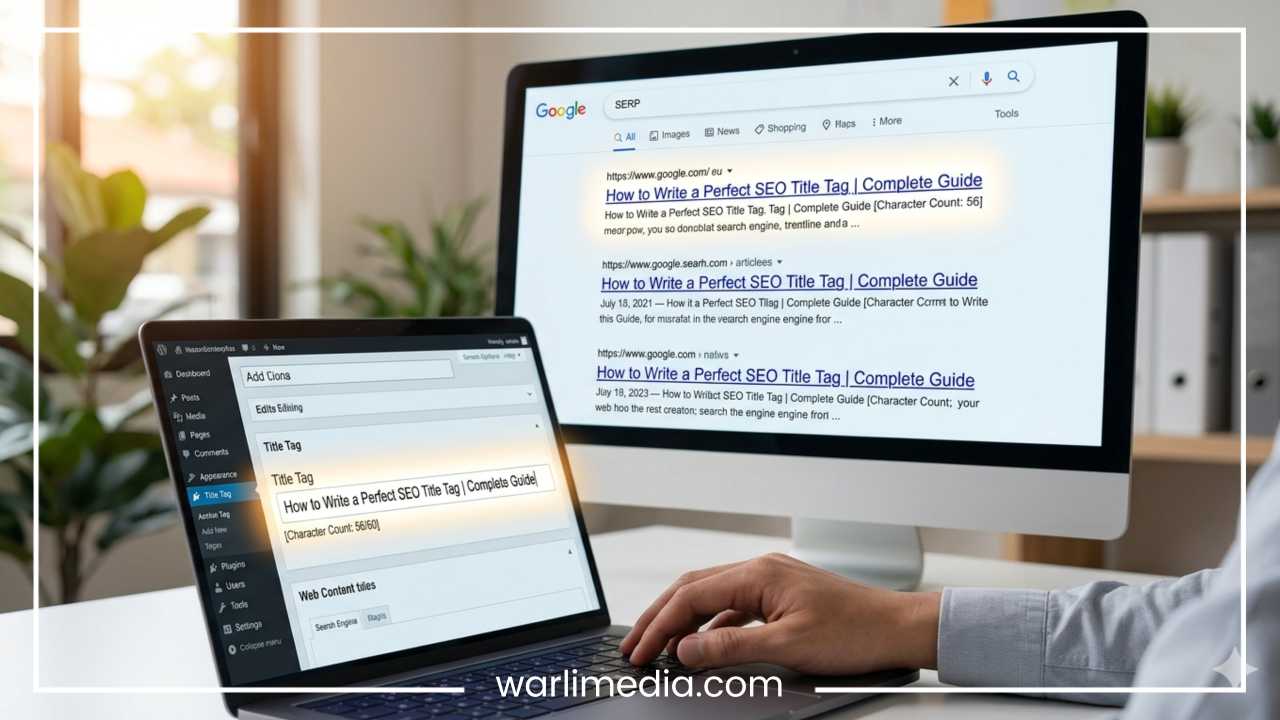
How to Use H1, H2, and H3 Tags Correctly: The Ultimate Guide to Hierarchy, SEO, and UX
In the world of web development and digital marketing, details often dictate the difference between a page that ranks on the first page of search results and one that remains buried in obscurity. Among the most fundamental yet frequently misunderstood elements of on-page optimization are heading tags. Specifically, H1, H2, and H3 tags serve as the structural backbone of any high-quality webpage.
At their core, heading tags are HTML elements used to define the headings of a page. They range from H1 to H6, creating a hierarchical system that organizes content for both human readers and search engine crawlers. While they might seem like simple formatting tools used to make text larger or bolder, their significance goes far deeper. Proper heading usage is a triple threat: it boosts Search Engine Optimization (SEO), enhances User Experience (UX), and ensures web accessibility for individuals using assistive technologies.
Read: What Are the Benefits of Hiring SEO Company
In this comprehensive guide, we will break down the technicalities of H1, H2, and H3 tags. We will explore why they are vital for your site’s performance, how to arrange them in a logical hierarchy, and the best practices that will keep your content competitive and readable. By the end of this article, you will have a masterclass-level understanding of how to structure your digital content for maximum impact.
What Are H1, H2, and H3 Tags?
To understand how to use these tags, we must first define what they are from a technical and functional perspective. Heading tags are pieces of HTML (HyperText Markup Language) code that tell a web browser how to display and categorize a specific piece of text. In the code, these look like <h1>, <h2>, and <h3> tags.
The Technical Definition
Every webpage is essentially a document. Just as a formal report or a thesis has a title and subheadings, a webpage uses these tags to signal importance.
H1 Tag: This is the most important tag. It usually represents the title of the page or the main topic of the post.
H2 Tag: These act as the main chapter headings within the article. They break the main topic into significant, digestible sections.
H3 Tag: These are sub-points that live under an H2. They provide further detail or categorize specific items within a larger section.
Where They Appear
You will encounter these tags in various environments. In a raw HTML file, they are wrapped around text. In a Content Management System (CMS) like WordPress, Ghost, or Wix, they are usually found in the text editor’s dropdown menu, often labeled as “Heading 1,” “Heading 2,” and so on.
The primary difference between them is weight. Search engines view the H1 as the “What is this page about?” signal, while H2s and H3s provide the “What are the specific details?” signals. Visually, browsers default to making H1 the largest text, with subsequent headings decreasing in size, though CSS (Cascading Style Sheets) can be used to change these styles without affecting the underlying HTML structure.
Read: How to Find the Right SEO Service for Small Businesses
Why Heading Tags Matter (SEO, UX, and Accessibility)
The use of headings is not a mere suggestion; it is a pillar of modern web standards. There are three primary reasons why you must get your heading structure right.
SEO Benefits
Search engine algorithms, like those used by Google, are incredibly sophisticated, but they still need clues to interpret content accurately. Heading tags provide a roadmap.
Topical Hierarchy: When a crawler “reads” your page, it looks at the H1 first to categorize the content. The H2s and H3s provide context, showing the depth of your coverage.
Keyword Relevance: Including your primary and secondary keywords in headings tells search engines that your content is highly relevant to those specific search queries. It reinforces the topic of the page.
User Experience (UX)
The modern internet user rarely reads every word on a page. Instead, they scan.
Readability: Large blocks of text are intimidating. Headings break these blocks into manageable chunks, making the content feel approachable.
Navigation: A user looking for a specific answer can quickly scroll through H2 and H3 tags to find the section that addresses their needs. If they find what they need quickly, they are more likely to stay on your site, reducing your bounce rate.
Accessibility
Web accessibility is about making the internet usable for everyone, including people with visual impairments.
Screen Readers: People who are blind or have low vision often use screen readers to navigate the web. These devices can jump from heading to heading, allowing the user to “skim” the page audibly.
Logical Flow: If your headings skip levels (e.g., going from H1 to H3), it confuses screen reader users, making it difficult for them to understand how the information relates to the main topic.
Read: Use SEO Tactfully to Enhance the Flow of Traffic to Your Website
The Correct Hierarchy of Headings
Structure is the most critical aspect of using heading tags. Think of your webpage as an outline for a book or a research paper. You wouldn’t start with Chapter 1, then immediately jump to a small footnote, and then go back to a section header.
Proper Structure Example
The hierarchy should always flow downward in a logical fashion:
H1: The Main Title (The Name of the Book)
H2: Main Section (Chapter 1)
H3: Subsection (Section 1.1)
H3: Subsection (Section 1.2)
H2: Main Section (Chapter 2)
H3: Subsection (Section 2.1)
Real-World Analogy
Imagine you are writing a guide about “Healthy Cooking.”
H1: The Ultimate Guide to Healthy Cooking
H2: Essential Kitchen Tools
H3: High-Quality Knives
H3: Non-Stick Pans
H2: Basic Cooking Techniques
H3: Steaming Vegetables
H3: Poaching Proteins
Rules to Follow
The “One H1” Rule: While HTML5 technically allows for multiple H1 tags, SEO best practices dictate using only one per page. This ensures there is no ambiguity about the page’s primary subject.
Never Skip Levels: Do not use an H3 just because you like the font size if you haven’t used an H2 first. If you need a smaller font, use CSS, not a heading tag.
Sequential Use: Always move from H1 to H2, and then to H3. You can have multiple H2s and multiple H3s under each H2, but you should never jump from H1 to H4.
How to Use H1 Tags Correctly
The H1 tag is the king of your page. It is often the first thing a user sees and the first thing a search engine processes. Because of its weight, it requires the most care.
Key Requirements for H1s
Uniqueness: Every page on your website should have a unique H1. Duplicate H1s across different pages can lead to “keyword cannibalization,” where search engines aren’t sure which page to rank for a specific term.
Primary Keyword Inclusion: Your H1 should contain your most important keyword, ideally near the beginning. This signals the core intent of the page.
Match Search Intent: If someone searches for “how to fix a leaky faucet,” and your H1 is “Plumbing Basics,” you haven’t matched their intent. Your H1 should be “How to Fix a Leaky Faucet: A Step-by-Step Guide.”
Clarity Over Cleverness: While a punny title might be fun, it can confuse search engines. Ensure the H1 is descriptive.
Examples of H1 Usage
Bad H1: Our Services (Too vague)
Bad H1: Affordable Dog Grooming in New York | Best Pet Care | NYC Dog Wash (Keyword stuffing)
Good H1: Professional Dog Grooming Services in New York City (Clear, keyword-rich, and descriptive)
How to Use H2 Tags Effectively
If the H1 is the title, the H2s are the pillars holding up the roof. H2 tags are used to organize the main sections of your content.
Function and Strategy
H2 tags should be used to break your article into its primary talking points. For a 2,000-word article, you might have between 5 and 10 H2 tags.
Include Secondary Keywords: Use H2s to target “long-tail” keywords or secondary terms related to your main topic. This helps you rank for a broader range of searches.
Answer Questions: Many users type questions into search engines. Using a question as an H2 (e.g., “What are the benefits of H2 tags?”) is an excellent way to capture “Featured Snippet” positions on Google.
Maintain Scannability: A user should be able to read only your H2 tags and still understand the overall “story” or “lesson” of your page.
Tips for Better H2s
Think of H2s as the “Big Ideas.” They should be distinct from one another. If two H2s are too similar, consider merging those sections or differentiating them more clearly with H3s.
How to Use H3 Tags for Subsections
H3 tags are the details. They are used to further categorize the information contained within an H2 section. They prevent an H2 section from becoming a “wall of text.”
When to Use H3s
H3 tags are perfect for:
Lists of Items: If your H2 is “Healthy Breakfast Foods,” your H3s could be “Oatmeal,” “Greek Yogurt,” and “Eggs.”
Steps in a Process: If your H2 is “How to Set Up Your Camera,” your H3s could be “Step 1: Inserting the Battery” and “Step 2: Attaching the Lens.”
Examples: Providing specific case studies or examples that support a broader point made in the H2.
Adding Depth Without Clutter
H3s allow you to go deep into a topic without overwhelming the reader. They provide a “breather” for the eye. If a section under an H2 is longer than 300 words, it is almost always a good idea to find a way to break it up using H3 tags.
Common Mistakes to Avoid
Even experienced webmasters make mistakes with heading tags. Avoiding these pitfalls will put you ahead of the competition.
Using Multiple H1 Tags
As mentioned, having more than one H1 is confusing for search engines. It dilutes the “authority” of the page’s main topic. Stick to one H1 for the title and use H2s for everything else.
Skipping Heading Levels
Going from an H1 to an H3, or from an H2 to an H4, disrupts the outline of the page. This is a major accessibility error and can make your content’s hierarchy appear disorganized to crawlers.
Using Headings for Styling
This is perhaps the most common mistake. You might want a sentence to be bold and large, so you wrap it in an <h2> tag even though it isn’t a heading. Do not do this. Use CSS classes or bolding tags (<strong>) for styling. Headings are for structure, not aesthetics.
Keyword Stuffing
While keywords are important, over-optimizing headings looks spammy to both users and Google.
Bad: “Best Coffee Maker for Home, Top Coffee Maker Reviews, Cheap Coffee Maker Deals”
Good: “Top-Rated Coffee Makers for Your Home”
Vague Headings
Headings like “Introduction,” “More Info,” or “Conclusion” are technically correct but provide zero SEO value and very little information to the user. Be specific. Instead of “Conclusion,” try “Final Thoughts on Heading Tag Best Practices.”
Best Practices for SEO Optimization
To truly master heading tags, you must think like an SEO expert. Here are the strategies that help content rank.
Natural Keyword Integration
Keywords should feel like a natural part of the sentence. If a heading feels clunky or forced, rewrite it. Search engines are increasingly good at detecting “unnatural” language.
Question-Based Headings
As voice search (like Siri and Alexa) becomes more common, people are searching in full questions. Incorporating these questions as H2 or H3 tags allows search engines to point users directly to your “answer” section.
Keep Them Concise
A heading is not a paragraph. Aim for 50 to 70 characters. It should be long enough to be descriptive but short enough to be read in a single glance.
Align with Search Intent
Before writing your headings, look at the top-performing results for your target keyword. What questions are they answering? What sections do they include? Your heading structure should reflect what the user is actually looking for.
Numbers and Lists
Headings that include numbers (e.g., “5 Tips for Better SEO”) are highly engaging. They promise a specific, organized set of information, which increases the likelihood of a user clicking and staying on the page.
Real Example of a Well-Structured Article
To visualize everything we have discussed, let’s look at an outline for a hypothetical article about “Home Gardening.”
H1: The Beginner’s Guide to Starting a Home Garden
H2: Choosing the Right Location
H3: Analyzing Sunlight Exposure
H3: Checking Soil Quality
H3: Proximity to Water Sources
H2: Essential Gardening Tools
H3: Hand Tools for Weeding
H3: Long-Handled Tools for Digging
H2: Best Crops for Beginners
H3: Easy-to-Grow Vegetables
H3: Hardy Herbs for Small Spaces
H2: Common Gardening Mistakes to Avoid
H2: Conclusion: Your Journey to a Green Thumb
In this example, the hierarchy is crystal clear. A search engine knows exactly what the page is about, and a reader can jump straight to “Easy-to-Grow Vegetables” if that is their primary interest.
Tools to Check Heading Structure
You don’t have to guess if your heading structure is correct. Several tools can help you audit your pages.
Browser Extensions
Extensions like “SEO Quake” or “Detailed SEO Extension” allow you to click a button and see a complete outline of any page’s headings. This is a great way to check your own work or “spy” on the structure of high-ranking competitors.
CMS Preview Tools
Modern editors like Gutenberg in WordPress have a “Document Outline” feature. It shows you a list of your headings and highlights if you have skipped a level or used multiple H1s.
HTML Validators
Tools like the W3C Markup Validation Service can check your code for errors. While primarily used for general HTML health, it will flag structural issues that might affect how headings are perceived by browsers.
Heading Tags for Different Content Types
While the rules of hierarchy remain the same, the application can vary slightly depending on the type of page you are building.
Blog Posts
In blog posts, headings are used for storytelling and education. They are generally more descriptive and keyword-heavy to attract organic search traffic.
Landing Pages
On a sales or landing page, headings are often used as “hooks.” The H1 is your main value proposition (e.g., “Double Your Sales in 30 Days”). H2s are used to highlight specific benefits or features, and H3s might be used for testimonials or FAQs.
E-commerce Product Pages
For product pages, the H1 is almost always the product name. H2s are used for sections like “Product Description,” “Technical Specifications,” and “Customer Reviews.” This helps shoppers find the specific data they need to make a purchase decision.
Final Thoughts
Mastering the use of H1, H2, and H3 tags is one of the most effective ways to improve your website’s performance. These tags are far more than just design elements; they are the structural framework that supports your SEO strategy, provides a seamless experience for your users, and ensures your content is accessible to everyone.
By following the logical hierarchy of H1 as your title, H2 as your main sections, and H3 as your subsections, you create a document that is easy for search engines to index and easy for humans to scan. Remember to keep your headings concise, keyword-rich but natural, and always aligned with the intent of your audience.
Consistency is key. Whether you are writing a short blog post or a massive landing page, applying these structural rules will make your content more professional and discoverable. Start auditing your existing content today—look for skipped heading levels, missing keywords, or multiple H1s—and see how a few structural changes can elevate your digital presence. Proper organization is the silent engine of web success; make sure yours is tuned to perfection.