
What are Keywords? A Simple Definition
In the vast, ever-expanding digital universe, millions of pieces of content are uploaded every single hour. From blog posts and news articles to product pages and YouTube videos, the sheer volume of information available at our fingertips is staggering. But have you ever paused to wonder how, when you type a few words into a search bar, the internet magically presents you with exactly what you were looking for? The secret ingredient in this digital recipe is the keyword.
At its most fundamental level, a keyword is the bridge between a person’s question and a website’s answer. Whether you are looking for a recipe for sourdough bread, trying to find a local mechanic, or researching the history of the Roman Empire, you are using keywords to navigate the web. They are the linguistic signals that tell search engines—and other users—what a specific piece of content is about.
Read: SEO & Marketing Audit: Boost Your Digital Growth
Keywords matter in everyday internet use because they serve as the primary mode of discovery. Without them, the internet would be a library without a filing system, where every book is blank on the spine. We encounter them constantly: in the search box on Google, in the hashtags on social media, and in the titles of the videos we watch on YouTube.
While the term is often associated with Search Engine Optimization (SEO), you don’t need to be a technical expert to understand them. In fact, understanding keywords is simply about understanding how people communicate their needs. In this article, we will pull back the curtain on this essential digital concept, exploring what keywords are, why they are the backbone of the internet, and how you can use them effectively to make your own voice heard in a crowded online world.
Read: What is Robots.txt Tester Tool
What Are Keywords? (Core Definition)
If we strip away all the marketing jargon and technical complexity, the definition of a keyword is remarkably straightforward:
Keywords are the words or phrases people type into search engines to find information.
Essentially, a keyword is any term that is used as the basis of a search. Despite the name “keyword,” these terms are rarely just a single word. In the world of digital marketing and search, a “keyword” can be a single term like “pizza” or a complex phrase like “how to make gluten-free pizza crust at home.” Because of this, many professionals use the terms “keyword” and “keyphrase” interchangeably.
To better understand this, let’s look at a few common examples:
“Best pizza near me”: This is a keyword used by someone who is hungry and looking for a local recommendation.
“How to lose weight”: This is a keyword used by someone seeking educational content or a lifestyle guide.
“Affordable wireless headphones”: This is a keyword used by a consumer in the research phase of a purchase.
The most important thing to remember is that Keywords = User Intent + Search Query.
When a user types a word into a search bar, they aren’t just typing letters; they are expressing an intent. They want to learn, they want to go somewhere, or they want to buy something. For a content creator or a business owner, a keyword is the specific term they “target” in their writing so that when a user expresses that intent, their content is the one that shows up.
Read: Dominate Online: Search Marketing Strategies for Businesses
Why Keywords Matter
Keywords are the “connective tissue” of the internet. They are the primary tool that search engines like Google, Bing, and DuckDuckGo use to organize the world’s information. Without keywords, search engines would have no way of knowing which websites are relevant to a user’s request.
Helping Search Engines Understand Content
Search engines use automated programs called “crawlers” to scan the internet. These crawlers read the text on a webpage to determine its topic. By using specific keywords, you are effectively giving the search engine a summary of your page. If your article uses the words “organic gardening,” “compost,” and “heirloom tomatoes,” the search engine understands that your content is about gardening, not about car repairs or stock market tips.
Connecting Users with Relevant Information
The ultimate goal of any search engine is to keep its users happy by providing the most relevant results possible. If you search for “blue running shoes” and get a list of websites selling red high heels, you will likely stop using that search engine. Keywords ensure that the “handshake” between the seeker and the provider is accurate.
Importance Across Different Platforms
While we often talk about keywords in the context of Google, they are vital across the entire digital landscape:
Websites and Blogs: Keywords help your articles appear when people search for topics you’ve written about.
YouTube: Keywords in video titles and descriptions help your content show up in “Suggested Videos.”
Online Stores: Amazon and Etsy rely heavily on keywords to show shoppers the products they are looking for.
A Real-Life Analogy
Think of keywords as labels or signboards. Imagine you are walking through a massive grocery store. If none of the aisles had signs, you would have to wander aimlessly to find the milk. The signs that say “Dairy,” “Produce,” or “Frozen Foods” are the “keywords” of the store. They tell you exactly what you will find in that section. In the digital world, keywords are the signs that lead users straight to the “aisle” of information they need.
Types of Keywords
Not all keywords are created equal. Depending on what a user wants, they will use different types of language. Understanding these categories is crucial for anyone trying to reach an audience online.
1) Short-Tail Keywords
Short-tail keywords, also known as “head terms,” are broad search terms that consist of only one or two words.
Example: “Shoes” or “Marketing.”
Characteristics: These have incredibly high search volume (millions of people search for them), but they are also extremely competitive. It is very hard for a small website to rank for “Shoes” because every shoe company in the world is trying to do the same. Furthermore, the intent is unclear. Does the user want to buy shoes, see pictures of shoes, or learn about the history of shoes?
2) Long-Tail Keywords
Long-tail keywords are longer phrases—usually three words or more—that are much more specific.
Example: “Best waterproof running shoes for trail hiking.”
Characteristics: These have lower search volume than short-tail keywords, but they are much more valuable. Why? Because the intent is clear. If someone searches for this specific phrase, they know exactly what they want. It is easier to rank for these terms because there is less competition.
3) Informational Keywords
These are used when a user is looking for knowledge or an answer to a specific question. They often start with “how,” “what,” or “why.”
Example: “What is SEO?” or “How to fix a leaky faucet.”
Target: Blog posts, “How-to” guides, and encyclopedic entries.
4) Navigational Keywords
The user already knows which website or brand they want to visit; they are just using the search engine as a shortcut to get there.
Example: “Facebook login” or “Nike official site.”
Target: The brand’s own homepage or specific landing pages.
5) Transactional Keywords
These are the “money” keywords. The user is in the “buying mode” and is ready to pull out their credit card.
Example: “Buy iPhone 15 online” or “Discounted gym memberships.”
Target: Product pages, checkout pages, and sales funnels.
How Keywords Work in Search Engines
To understand keywords, you have to understand a little bit about how search engines function. The process happens in three main stages: Crawling, Indexing, and Ranking.
Crawling: Search engines send out “spiders” to discover new and updated content. These spiders follow links from one page to another, reading the text and looking for keywords to understand the subject matter.
Indexing: Once a page is found, the search engine stores it in a giant database called an index. It’s like a massive digital library where the search engine keeps track of every word on every page it has visited.
Ranking: When you type a keyword into Google, the search engine looks through its index to find the best matches. It then ranks these matches based on hundreds of factors, with keyword relevance being one of the most important.
Matching Keywords to Content
In the early days of the internet, search engines were quite literal. If you searched for “best coffee beans,” the search engine simply looked for pages that repeated that exact phrase the most.
Today, search engines are much more sophisticated. They look for relevance and context. Google understands that “coffee beans,” “espresso roast,” and “arabica grounds” are all related. This is called Latent Semantic Indexing (LSI). It means you don’t have to repeat your main keyword fifty times to rank; you just have to write a high-quality article that covers the topic thoroughly using related terms.
Keywords vs. Search Queries
While these two terms are often used as synonyms, there is a subtle but important distinction between them, especially if you are creating content.
Keywords are the terms that marketers and content creators target. They are generalized and strategic. For example, a business might decide their target keyword is “digital marketing services.”
Search Queries are the actual strings of words that real people type into the search bar. These can be messy, misspelled, or phrased as questions. A user might type “who does digital marketing services for cheap in Vapi?”
The goal for any website owner is to identify the keywords that represent the search queries their audience is using. You take the “raw” data of what people are searching for and refine it into a keyword strategy that guides your writing.
How to Find Keywords (Beginner-Friendly)
If you are starting a blog or a business, how do you know which keywords to use? You don’t have to guess. There are several simple ways to find out exactly what people are searching for.
1. Brainstorming
Start by putting yourself in the shoes of your customer or reader. If you were looking for your product or service, what would you type? Write down a list of 10-20 broad topics related to your business.
2. Google Autocomplete
This is one of the easiest and most effective tools available. Start typing your primary topic into the Google search bar, but don’t hit enter. Google will suggest a list of popular searches. These suggestions are real keywords that people are actively using.
3. “People Also Ask”
When you perform a Google search, look for the box labeled “People also ask.” This provides a list of questions related to your search. Each of these questions is a potential long-tail keyword that you can use to create content.
4. Keyword Research Tools
If you want to get more technical, there are tools designed specifically for this:
Google Keyword Planner: Free to use (though you need a Google Ads account), it shows you how many people search for a term and how competitive it is.
Ubersuggest: A beginner-friendly tool that provides keyword ideas and data on how difficult it will be to rank for them.
Ahrefs or SEMrush: These are professional-level tools. While they have a learning curve and a cost, they provide deep insights into what your competitors are doing.
How to Use Keywords Correctly
Once you have found your keywords, the next step is to put them into your content. However, there is a “right” way and a “wrong” way to do this.
Natural Placement
The golden rule of modern SEO is to write for humans first, search engines second. Your keywords should fit naturally into your sentences. If a sentence sounds awkward or forced when you read it out loud, you are probably overusing your keyword.
Where to Use Keywords
To help search engines find your content, you should aim to place your primary keyword in these key locations:
The Title (H1 Tag): This is the most important place. It tells both the user and the search engine exactly what the page is about.
Headings (H2 and H3): Breaking your content into sections with keyword-rich headings makes it easier to read and helps search engines understand the structure.
The Meta Description: This is the short snippet of text that appears under your link in search results. Including the keyword here can improve the chances of someone clicking your link.
The First Paragraph: Mentioning your topic early on establishes relevance immediately.
The Content Body: Use your main keyword and related terms throughout the text, but only where they make sense.
Focus on Readability
A page that is easy to read will keep users on it longer. Search engines notice this. If people spend five minutes reading your article, Google assumes the content is high-quality and will rank it higher.
Common Keyword Mistakes to Avoid
In the quest to rank higher on search engines, many people fall into traps that can actually hurt their visibility.
Keyword Stuffing
This is the practice of “shoving” keywords into a page as many times as possible in an attempt to manipulate search engines.
Example: “We sell the best blue shoes. If you want blue shoes, our blue shoes store is the best place for blue shoes.”
Search engines are smart enough to recognize this, and they will penalize or even ban sites that do it. It creates a terrible experience for the reader.
Using Irrelevant Keywords
Sometimes people try to use popular keywords that have nothing to do with their content just to get traffic. This is known as “clickbait.” While it might get someone to click your link, they will leave immediately when they realize the content isn’t what they expected. This high “bounce rate” tells search engines your site isn’t useful.
Ignoring User Intent
Don’t just look at the number of searches a keyword gets. Look at why people are searching for it. If you are selling a product, don’t target an informational keyword like “how to build a chair” when your goal is to “sell office chairs.” You will attract people who want a DIY guide, not customers looking to buy.
Only Targeting High-Volume Keywords
Many beginners try to rank for massive terms like “fitness” or “travel.” Unless you have a multi-million dollar budget, you won’t beat the massive brands for these terms. It is much better to be the #1 result for a specific term like “yoga for office workers” than to be on page 50 for “fitness.”
Keywords in Modern SEO
The way we use keywords is constantly evolving because search engines are getting smarter. We are moving away from “exact match” searching and toward Semantic Search.
The Rise of AI and Context
Modern search engines use Artificial Intelligence to understand the nuances of human language. They can identify synonyms, understand the relationship between different topics, and even interpret the tone of an article. This means that you don’t have to worry as much about the exact phrasing of your keyword. If you write a comprehensive, helpful article about “starting a vegetable garden,” Google will understand that you are also relevant for “growing your own food” or “beginning gardening tips.”
Topic Relevance
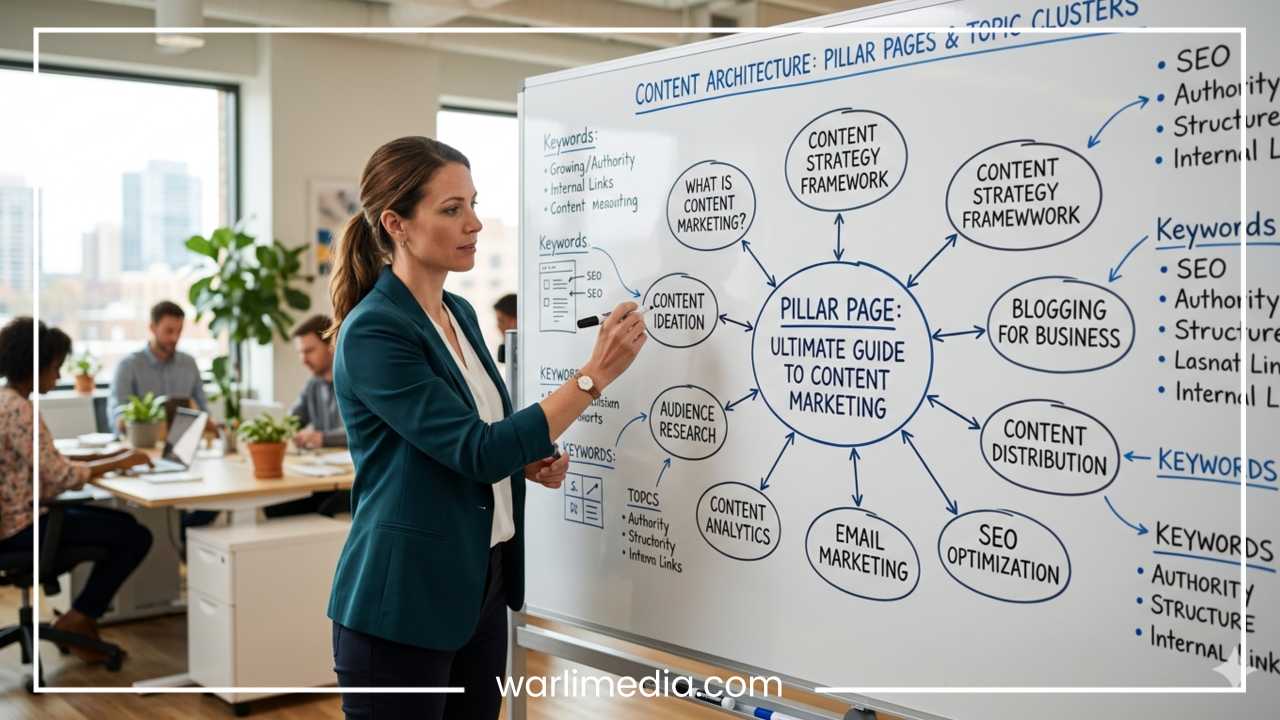
Instead of focusing on a single keyword, modern SEO focuses on Topic Authority. This means creating a cluster of content around a central theme. If you have ten articles covering different aspects of “home coffee brewing,” search engines will view you as an expert on that topic and rank all your articles higher.
User Experience (UX)
Keywords are still the foundation, but they are no longer the only factor. Factors like how fast your page loads, whether it works well on mobile phones, and whether it provides a safe browsing experience are just as important. A keyword gets a user to your site, but a good user experience keeps them there.
Simple Examples of Keywords in Action
To see how much of a difference keywords can make, let’s look at a practical example for a fictional small business: a local bakery that specializes in gluten-free cupcakes.
Without Keyword Optimization
The bakery writes a blog post with the title: “What We Baked This Morning.”
Problem: This title is poetic, but it contains no keywords. No one is searching for “What we baked this morning.” Even though the content might be great, the search engine doesn’t know it’s about gluten-free treats. This post will likely only be seen by people who already know the bakery.
With Keyword Optimization
The bakery titles the post: “The 5 Best Gluten-Free Cupcake Recipes for Beginners.”
Improvement: This title uses a specific, long-tail keyword (“Gluten-Free Cupcake Recipes for Beginners”). It targets a specific audience (beginners) with a specific need (gluten-free). When someone in another city or even another country searches for that term, the bakery’s blog post has a chance to show up.
By making this small change, the bakery has transformed a “private” update into a “public” piece of content that can attract new visitors from all over the web.
Final Thoughts
Keywords may sound like a technical concept reserved for programmers and marketing “gurus,” but at their heart, they are simply about communication. They are the labels we use to describe our ideas, the questions we ask when we need help, and the signposts that guide us through the infinite library of the internet.
Understanding keywords is the first step toward mastering the digital world. Whether you are a student researching a paper, a hobbyist starting a blog, or an entrepreneur building a brand, keywords are the tools that help you find your audience—and help your audience find you.
To recap:
Keywords are the terms people type into search engines.
Long-tail keywords are specific and often more valuable than short, broad terms.
User intent is the most important factor—understand why someone is searching.
Natural placement and high-quality content will always beat “keyword stuffing.”
Don’t be intimidated by the technical side of the web. Start by thinking about the words your audience uses, use tools like Google Autocomplete to verify your ideas, and always prioritize the needs of your readers. At the end of the day, the goal of keywords is simple: to help people find the information they need. By using them correctly, you ensure that your voice is part of that conversation.