
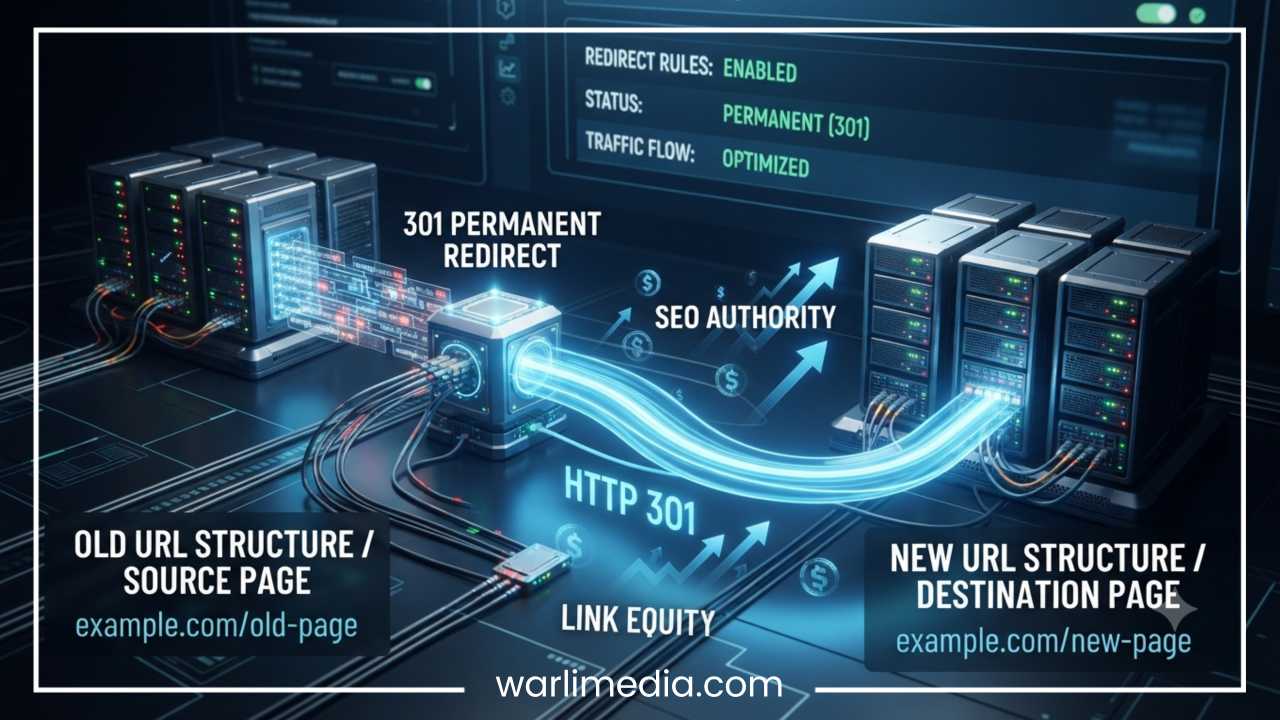
What Is a 301 Redirect? A Complete Guide to Permanent URL Redirects
The digital architecture of a website is rarely static. As businesses evolve, their online presence undergoes continuous transformation. Websites are redesigned, content strategies are overhauled, outdated pages are archived, and entire domains are migrated to match new branding. During these transitions, one of the most critical elements hanging in the balance is the Uniform Resource Locator, commonly known as the URL.
When a user clicks an older link from a bookmark, a social media post, or a search engine results page, they expect to land on the relevant content immediately. If that webpage has been moved or deleted without a contingency plan, the user encounters a frustrating dead end: the dreaded 404 Page Not Found error.
Broken links do more than just irritate visitors. They create significant user experience hurdles and disrupt the technical framework that search engines use to evaluate your website. When a search engine crawler encounters a broken link, it drops that page from its index, erasing years of accrued authority, rankings, and traffic.
Fortunately, there is a reliable solution to this digital challenge. A 301 redirect serves as the foundational mechanism for webmasters to manage changing URL structures cleanly. By using a 301 redirect, you tell browsers and search engines that a webpage has moved permanently to a new address. This simple configuration ensures that your users stay satisfied and your hard-earned search performance remains completely intact.
Read: Duplicate Content: Why It Happens and How to Fix It
What Is a 301 Redirect?
A 301 redirect is a server-side instruction that automatically forwards users and search engines from an old URL to a new, permanent URL. In the language of the internet, communication between a web browser and a website server relies on HTTP status codes. These three-digit numbers indicate whether a specific request was successful, encountered an error, or required a change in direction.
The number 301 specifically represents the HTTP status code for “Moved Permanently.” When a web server issues this code, it provides a definitive declaration that the requested resource has found a new, lifelong home.
It is crucial to differentiate a permanent 301 redirect from a temporary one. While a temporary redirect suggests that a page is briefly unavailable due to maintenance or a seasonal promotion, a permanent redirect signals that the old address is retired for good. It is the digital equivalent of submitting a permanent change-of-address form to the postal service, ensuring that all future mail is routed directly to your new residence.
When a browser or search engine crawler hits a page with a 301 redirect, the transition happens almost instantaneously.
The relationship follows a direct path:
Old URL -> Redirect -> New URL
For instance, if a visitor attempts to access example.com/old-page, the backend server intercepting this request notices the 301 directive. It immediately routes the visitor to example.com/new-page.
Because of this automated routing, users land on the correct page without ever realizing they were sent on a detour. More importantly, search engines interpret this specific status code as an instruction to update their databases. Instead of keeping the old URL listed in search results, they transfer the historical ranking signals, authority, and trust over to the new URL, preserving the website’s equity.
Read: How to Use Google Search Console to Improve SEO
How Does a 301 Redirect Work?
To understand how a 301 redirect works, it helps to examine the quick technical conversation that occurs behind the scenes between a browser and a server. This communication happens in milliseconds, balancing request and response protocols to deliver a seamless user experience.
The process follows a sequence of specific steps:
User enters an old URL: A user clicks an old link or types a legacy URL into their browser’s address bar.
Server receives the request: The web server hosting the site receives the incoming request for that specific old URL.
Server sends HTTP 301 response: The server looks up its configuration files, recognizes that a 301 redirect rule exists for that URL, and sends an HTTP 301 status code back to the browser, accompanied by the location of the new URL.
Browser loads the new URL: The browser receives this status code, reads the new location header, and instantly requests the new address.
Search engines update their index: When search engine crawlers process this response, they note the permanent relocation and schedule an update to their index to replace the old URL with the new one.
From a technical perspective, the raw server response looks clear and standardized. It avoids complex styling and provides straightforward information to the requesting browser:
HTTP/1.1 301 Moved Permanently
Location: https://example.com/new-page
This response is a server-side redirect, meaning the entire logical decision happens directly on the hosting server before any visual data is sent to the client. This is far more efficient than client-side redirects, which require the browser to download a page and execute a script before moving onward.
When a search engine spider or crawler encounters this server-side header, it follows the redirect path immediately. Over time, as search engines re-crawl the site and process the permanent directive, they update their search engine results pages. The old, outdated URL fades out of the listings, and the new URL takes its place, inheriting the indexing value of its predecessor.
Read: What are YouTube Tags and Which Ones Should You Add?
Why Are 301 Redirects Important for SEO?
Search Engine Optimization (SEO) relies on stability, clarity, and authority. Every time you alter a URL, you risk breaking the pathways that search engine bots use to understand your content. Implementing 301 redirects acts as a safety net that protects your digital footprint during structural shifts.
Preserve Link Equity
One of the most valuable aspects of search engine optimization is link equity, often referred to in the industry as “link juice.” When other reputable websites link to your webpages, they pass along authority and trust signals. These backlinks are a primary ranking factor for major search engines.
If you delete an old page or alter its URL without putting a redirect in place, those external backlinks point to a dead resource. The authority built up by that page vanishes instantly. By deploying a 301 redirect, you bridge the gap. The backlink profile pointing to the old URL transfers its value over to the new page. For example, if an old blog post has accrued 100 high-quality external backlinks over several years, moving that content to a new URL without a 301 redirect means losing all 100 signals of authority. A 301 redirect ensures that the search engine routes that valuable authority straight to the new location.
Prevent Ranking Loss During Website Changes
Websites must change to stay modern and competitive. Major structural updates are common milestones for growing digital brands, including:
Comprehensive website redesigns that alter internal folder names.
Structural URL cleanups to create shorter, more readable links.
Full-scale domain migrations during corporate rebranding campaigns.
Migrating from unencrypted HTTP protocols to secure HTTPS connections.
Without carefully planned 301 redirects, these modifications can destroy organic search traffic overnight. A 301 redirect tells search engine algorithms that the changes are intentional and permanent, preventing massive drops in visibility by preserving your site’s historical performance records.
Improve User Experience
SEO is not just about pleasing algorithmic crawlers; it is deeply tied to user satisfaction. A high frequency of broken links and error pages signals a neglected website, which can drive up bounce rates and lower time-on-site metrics.
When a user encounters a 404 page, their immediate instinct is often to leave the site and click on a competitor’s link in the search results. A 301 redirect completely removes this friction. It guides the visitor directly to relevant content, matching their original intent and keeping them engaged with your brand.
Help Search Engines Understand Website Changes
Search engine indexing systems are massive databases that require explicit signals to run efficiently. When a bot crawls your site and discovers changes, it needs clear guidance on how to interpret them.
A 301 redirect provides an unambiguous signal of permanent movement. Instead of assuming your site is broken or suffering from technical errors, the indexing software understands that you have reorganized your content. It quickly updates its records, clearing out old paths and indexing new URLs to keep your search presence accurate and up to date.
Common Situations Where You Need a 301 Redirect
Understanding the theory behind permanent redirects is helpful, but recognizing when to deploy them in real-world scenarios is crucial for maintaining an optimized website.
Changing a URL
Over time, you may find that an older URL is no longer descriptive, contains an outdated date, or is poorly optimized for your primary keywords.
Before:
example.com/best-seo-tips-2024
After:
If you modify the URL slug directly in your Content Management System (CMS), the old URL breaks instantly. Implementing a 301 redirect links the old date-specific URL to the new, optimized, evergreen version. This allows you to update your content structure without fracturing your link profile.
Moving to a New Domain
When a company rebrands or secures a better domain name, it must move its entire asset base from the old domain to the new one.
oldwebsite.com
↓
newwebsite.com
In this scenario, you must map every important URL on the old domain to its exact corresponding counterpart on the new domain. A common mistake is redirecting every single historical link to the new website’s homepage. This creates a confusing user experience and causes search engines to drop rankings due to a lack of topic relevance. Each old page must point to its specific new equivalent.
Migrating From HTTP to HTTPS
Security is an essential requirement for modern websites. Switching from standard HTTP to encrypted HTTPS protects user data and builds trust.
↓
When you install an SSL certificate, your website technically exists at two separate locations: the unsecure version and the secure version. To avoid duplicate content penalties and protect your users, you must use a global 301 redirect to force all traffic from the HTTP addresses over to the secure HTTPS versions.
Removing Duplicate URLs
It is surprisingly common for websites to generate multiple versions of the exact same webpage. This can happen due to tracking parameters, content management settings, or configuration discrepancies.
For instance, your site might be accessible at both:
example.com
Similarly, trailing slashes can create duplicate variations:
Search engines view these variations as completely separate pages with identical content, which can dilute your visibility. Applying a 301 redirect consolidates these URLs into a single, authorized version, concentrating your search signals onto one definitive target.
Combining Similar Content
As a website grows, it can accumulate articles that cover overlapping topics. Having multiple thin or similar pages can lead to keyword cannibalization, where your pages compete against one another in search results.
Consider two older, separate articles:
/seo-guide
/blog-seo-tips
To build a stronger asset, you can merge the best elements of both into a single comprehensive piece:
/complete-seo-guide
Once published, you must set up 301 redirects from the two older, separate URLs to the new guide. This passes their combined authority into the new resource, helping it rank higher than the individual pieces ever could on their own.
Deleted Pages
There are times when content becomes completely obsolete, a product is permanently discontinued, or an event page expires.
If you choose to delete a page, look for a highly relevant replacement elsewhere on your site. If a similar page exists, apply a 301 redirect to guide users to that alternative. However, if no relevant page exists, you should avoid redirecting to an unrelated page just to save the link. In those specific cases, letting the page return a proper 404 error page is the correct technical decision, as it accurately tells users and search engines that the content is gone.
301 Redirect vs 302 Redirect: What Is the Difference?
Choosing the correct redirect type is vital for your long-term search strategy. The most frequent error webmasters make is confusing a 301 redirect with a 302 redirect. While they appear identical to a standard user, search engines treat them very differently.
| Feature | 301 Redirect | 302 Redirect |
| Purpose | Permanent move | Temporary move |
| SEO signals | Usually transferred | Usually retained by old URL |
| Common use | Site migration | Testing campaigns |
| Search engine interpretation | Replace old URL | Keep old URL |
A 301 redirect means the original page is gone forever, prompting search engines to transfer rankings and indexing signals to the new URL.
A 302 redirect means the move is strictly temporary. Search engines assume the old URL will return shortly, so they retain all original rankings and equity on the old page. They do not pass long-term link value to the temporary target.
Use a 301 redirect when you are retiring a URL for good. Use a 302 redirect only for short-term situations, such as running an A/B split test, updating a product page for a few days, or routing users to a localized page during a brief promotional window. Using a 302 code for a permanent change can hurt your SEO, as search engines will keep crawling the old URL and won’t properly pass authority to the new one.
301 Redirect vs Other HTTP Status Codes
To fully master website management, it helps to know how 301 redirects compare to other standard HTTP status codes and technical tags.
301 vs 404
A 301 status code indicates that a page has permanently moved to a new destination, and it automatically forwards the user there. A 404 status code explicitly means that the requested page is unavailable, broken, or missing, and no forward is provided. Use a 301 redirect when you have a clear alternative page to offer; use a 404 error when a page is gone and has no logical replacement.
301 vs 410
While a 404 code means a page is simply missing (and might return), a 410 code stands for “Gone.” This status tells search engines that the page has been intentionally and permanently removed, and no replacement exists. Crawlers remove a 410 URL from their index much faster than a 404 URL. Use a 301 redirect if you want to pass equity to a new page, but use a 410 code if you want to permanently delete content without any replacement.
301 vs Canonical Tag
A 301 redirect is a physical directive that automatically takes users from an old URL to a new one. A canonical tag (rel="canonical") is an on-page meta tag that acts as a soft recommendation for search engines. It tells them which version of a page is the master copy when multiple URLs contain similar content, but it does not redirect human visitors, who can still view all variations. Use a 301 redirect when you want to actively move traffic away from an old URL; use a canonical tag when you want similar pages to remain live for users but want to consolidate their SEO value onto one primary URL.
How to Create a 301 Redirect
The method you use to implement a 301 redirect depends heavily on your server setup, your hosting environment, and the platform your website runs on.
Using .htaccess (Apache)
If your website runs on an Apache web server, you can handle redirects directly by editing the .htaccess file found in your site’s root directory. This method is incredibly fast and operates at the server level before any site software loads.
To create a basic redirect for a single page, add this line to your file:
Redirect 301 /old-page https://example.com/new-page
For more complex configurations or advanced pattern matching, you can use Apache’s RewriteEngine:
RewriteEngine On
RewriteRule ^old-page$ /new-page [R=301,L]
Always back up your .htaccess file before making edits, as even a minor syntax error can temporarily take your entire website offline.
Using Nginx
Websites hosted on Nginx servers handle permanent redirects within the server configuration file (nginx.conf). The configuration syntax relies on server blocks:
server {
rewrite ^/old-page$ https://example.com/new-page permanent;
}
The word “permanent” at the end of the line explicitly instructs Nginx to return a clean 301 status code to any browser or crawler requesting that page.
Using WordPress Plugins
If you use WordPress and prefer to avoid editing raw server configuration files, you can manage redirects easily using plugins. This approach is highly accessible for non-technical users.
Popular plugins for managing redirects include:
Redirection: A dedicated, free plugin built specifically to create and manage 301 redirects while tracking 404 errors.
Rank Math: A comprehensive SEO suite that features a built-in redirect manager with simple options.
Yoast SEO Premium: Offers an automated redirect assistant that prompts you to create a 301 redirect whenever you change a page’s URL slug.
Using these plugins allows you to simply paste your old URL into a “Source” field and your new URL into a “Target” field, handling the underlying technical details automatically.
Using Website Hosting Panels
Many modern web hosting providers allow you to set up redirects through a visual control panel. If your host uses cPanel, you can navigate to the “Domains” section and click on the “Redirects” tool. Here, you can select whether the redirect is permanent (301) or temporary (302), enter the original path, specify the destination URL, and save your changes. Managed hosting providers often offer custom, user-friendly redirect dashboards directly within their client portals.
How to Find Existing 301 Redirects on a Website
As a website grows, it is important to regularly audit your redirects to make sure they are performing efficiently and haven’t created technical issues.
You can use several industry tools to locate and evaluate your redirects:
Google Search Console: Check the “Indexing” reports to see which URLs are flagged as redirected and verify that Googlebot is processing them correctly.
Screaming Frog SEO Spider: A desktop program that crawls your entire website, providing a clear view of all status codes, source URLs, and destination paths.
Sitebulb: A website auditing tool that visualizes redirect paths and highlights potential structural issues.
Ahrefs / Semrush: All-in-one SEO platforms with site audit features that crawl your pages and flag broken or poorly optimized redirects.
When auditing your website, keep an eye out for these common issues:
Redirect chains: Check if a page goes through multiple steps before opening.
Redirect loops: Look for errors where pages point back and forth at each other, preventing the browser from loading anything.
Broken redirects: Ensure that the final destination page is fully live and returns a clean 200 OK status code.
Incorrect destinations: Make sure redirects match the user’s intent and don’t dump them on irrelevant pages.
Common 301 Redirect Mistakes to Avoid
While implementing a 301 redirect is straightforward, subtle mistakes can undermine your SEO efforts and hurt the user experience. Review these common pitfalls to keep your site optimized.
Mistake 1: Redirecting Everything to the Homepage
When migrating a site or deleting an entire category of pages, it can be tempting to save time by routing all old links to your homepage. Avoid this approach. Search engines view homepage-only redirects for specific content as soft 404 errors, meaning you lose the link equity anyway. It also frustrates users who click a link expecting specific information and end up on your homepage instead.
Mistake 2: Creating Redirect Chains
A redirect chain occurs when a URL points to another redirected page, which then points to another, and so on.
Page A -> Page B -> Page C
Each step in a chain slows down page load speeds and consumes your search engine crawl budget. Additionally, some mobile browsers will stop following links after a few hops, triggering a broken connection error. Clean up these chains so every legacy URL points straight to its final destination:
Page A -> Page C
Mistake 3: Redirect Loops
A redirect loop happens when an incorrect rule accidentally creates a cyclical path that has no end.
Page A -> Page B -> Page A
Browsers will try to resolve this path for a few seconds before giving up and displaying a “Too Many Redirects” error page. This cuts off access for users and drops your pages out of search results until the loop is fixed.
Mistake 4: Redirecting Irrelevant Pages
A 301 redirect should always respect the intent of the original user. If you redirect an old article about “How to Fix a Leaky Faucet” to a page selling “Leather Running Shoes,” you confuse your visitors and signal to search engines that the redirect isn’t relevant, which can cost you your rankings.
Mistake 5: Forgetting Internal Links
Setting up a 301 redirect handles incoming traffic from external sources, but you should also clean up your internal links. Leaving internal links pointing to old URLs forces your server to work harder to process redirects every time a user navigates your site. Update your internal links to point directly to the new URLs.
Mistake 6: Not Testing Redirects
Never assume a redirect works perfectly just because you saved the configuration. Always test your rules after implementation. Use browser developer tools or header checkers to verify that your URLs return a true 301 status code and load the correct target page without errors.
How Long Should You Keep a 301 Redirect?
A common question among webmasters is whether a 301 redirect can eventually be removed. The short answer is that you should keep your redirects active long-term—ideally indefinitely.
Search engine representatives often suggest keeping redirects live for at least a full year to give crawlers plenty of time to fully recognize the change and update their indexes. However, if an old URL has built up a strong backlink profile over time, removing the redirect means you lose that link equity completely.
Maintaining redirects requires very little server overhead. Unless you plan to reuse the old URL for entirely new, distinct content, leaving your 301 redirects active ensures you preserve your search authority and provide a smooth experience for users clicking older links.
301 Redirect Best Practices for SEO
To keep your website technically sound and maintain its search rankings, follow this practical optimization checklist:
Redirect to the most relevant page: Always match the topic and intent of the old URL to the new target.
Use one-hop redirects: Connect your old URL directly to the live page to avoid slow load times.
Update internal links: Regularly update your internal text links to point directly to active URLs.
Monitor crawl errors: Use tools like Google Search Console to catch and fix broken paths early.
Keep important redirects active: Preserve older redirects that have earned high-quality external backlinks.
Avoid redirecting unrelated content: Use proper error codes if a page has no logical alternative.
Test after implementation: Verify status codes using a header checker to ensure your rules are correct.
Final Thoughts
301 redirects are essential tools for maintaining a healthy, high-performing website. They act as a reliable bridge during structural updates, protecting your organic search positions, preserving valuable link authority, and keeping visitors from running into frustrating broken links.
Whether you are executing a minor URL update, moving your entire site to a new domain, or fixing duplicate content issues, taking the time to map out your redirects carefully pays off. By keeping your redirect paths clean and avoiding common implementation mistakes, you can evolve your web presence smoothly while protecting your hard-earned search rankings. Whenever a URL permanently changes, a properly configured 301 redirect helps ensure visitors and search engines find the right destination every single time.
Frequently Asked Questions
Is a 301 redirect permanent and how long does it take Google to update?
Yes, a 301 redirect is a permanent directive. While the forward happens instantly for human users, search engines take more time to update their databases. Typically, Google will recognize the redirect and update its search index within a few days to a couple of weeks, depending on how frequently the specific webpage is crawled. For massive site migrations involving thousands of URLs, it can take up to a few months for all search signals and rankings to fully transfer to the new location.
Does 301 redirect transfer link juice and preserve organic search rankings?
Yes, a 301 redirect transfers the vast majority of link equity (often called “link juice”) from the old URL to the new one. Google has confirmed that 301 redirects pass page authority without any loss. However, you can still experience minor fluctuations in organic search rankings immediately after a change due to re-crawling timelines, changes in on-page content optimization, or how closely the new page matches the topical relevance of the original URL.
When should I use a 301 redirect instead of a 302 temporary redirect?
You should use a 301 redirect when you are moving content permanently and have no intention of ever using the old URL again (such as changing a blog post slug or moving to a new domain). You should use a 302 redirect only when a page is moving temporarily (such as during brief website maintenance, seasonal inventory rotations, or targeted A/B split testing) and you want search engines to keep indexing the original URL.
How do I fix a 301 redirect loop error on my WordPress website?
A 301 redirect loop occurs when URL A points to URL B, and URL B points back to URL A, causing the browser to freeze. To fix this on a WordPress site:
Clear your browser cache and website server cache completely.
Check your WordPress Address and Site Address settings under Settings > General to ensure they match exactly.
Access your server via FTP and check your
.htaccessornginx.conffile for conflicting rules.If you are using an SEO or redirect plugin, temporarily deactivate it to locate the conflicting forward rule and delete the duplicate entry.
Can I redirect an old domain to a new domain using a 301 redirect?
Yes, you can and should use a 301 redirect when moving to a new domain name. This tells search engines that your brand has permanently relocated. For best results, map every individual page on the old domain to its direct equivalent on the new domain (e.g., [olddomain.com/about](https://olddomain.com/about) to [newdomain.com/about](https://newdomain.com/about)). Avoid redirecting all old pages to the new homepage, as this destroys topic relevance and hurts your keyword rankings.
What is the difference between a 301 redirect and a canonical tag for duplicate content?
A 301 redirect is a hard, server-side directive that physically forces both human users and search engine bots away from an old URL to a new target. A canonical tag (rel="canonical") is a soft on-page hint specifically for search engines. It tells algorithms which version of a duplicate page is the master copy for indexing purposes, but it leaves all variations completely live and accessible for human visitors to browse.
How do I set up a 301 redirect in htaccess for an Apache server?
To set up a permanent redirect on an Apache web server, you must edit the .htaccess file located in your website’s root directory. For a single page redirect, add the following code:
Redirect 301 /old-page-path https://www.example.com/new-page-path
For a global domain migration or complex pattern changes, use the RewriteEngine tool:
RewriteEngine On RewriteRule ^old-slug$ /new-slug [R=301,L]
How many 301 redirects are too many and do they hurt page load speed?
While there is no strict legal limit to the total number of individual 301 redirects a website can have, they can hurt performance if they are chained together. A single redirect hop has a negligible impact on page load speed. However, if you build redirect chains (Page A to Page B to Page C), every extra step forces the browser to make additional server requests, which slows down your page load speed and drains your search engine crawl budget. Keep all redirects to a single hop.