What is a Featured Snippet? The Ultimate Guide to SEO’s Most Valuable Real Estate
Have you ever typed a question into Google and found your answer right at the top of the results page, enclosed in a neat little box? You did not have to click through to a website, scroll through a long intro, or decline cookies. Google simply pulled the exact information you needed from a web page and served it to you instantly.
This prominent search element is called a Featured Snippet. It is one of the most powerful and transformative search engine results page (SERP) features Google has ever introduced. For users, it provides instant gratification. For businesses and digital marketers, it represents a golden opportunity. Landing a Featured Snippet means leapfrogging the traditional number-one organic ranking and capturing maximum visual attention.
However, the world of search optimization has evolved significantly. With the rise of zero-click searches—queries where the user gets their answer directly on the search page without clicking any links—Featured Snippets have shifted from a luxury SEO achievement to a vital survival tool. Understanding how these snippets work, how Google selects them, and how to optimize your content to win them is essential for maintaining organic search traffic.
This comprehensive guide will explore everything you need to know about Featured Snippets. We will cover how they function under the hood, analyze the different formats Google uses, evaluate their true impact on search visibility, and provide an actionable, step-by-step optimization blueprint to help your content claim this premium search real estate.
Read: The Ultimate Beginner’s Guide to SEO
Defining the Featured Snippet
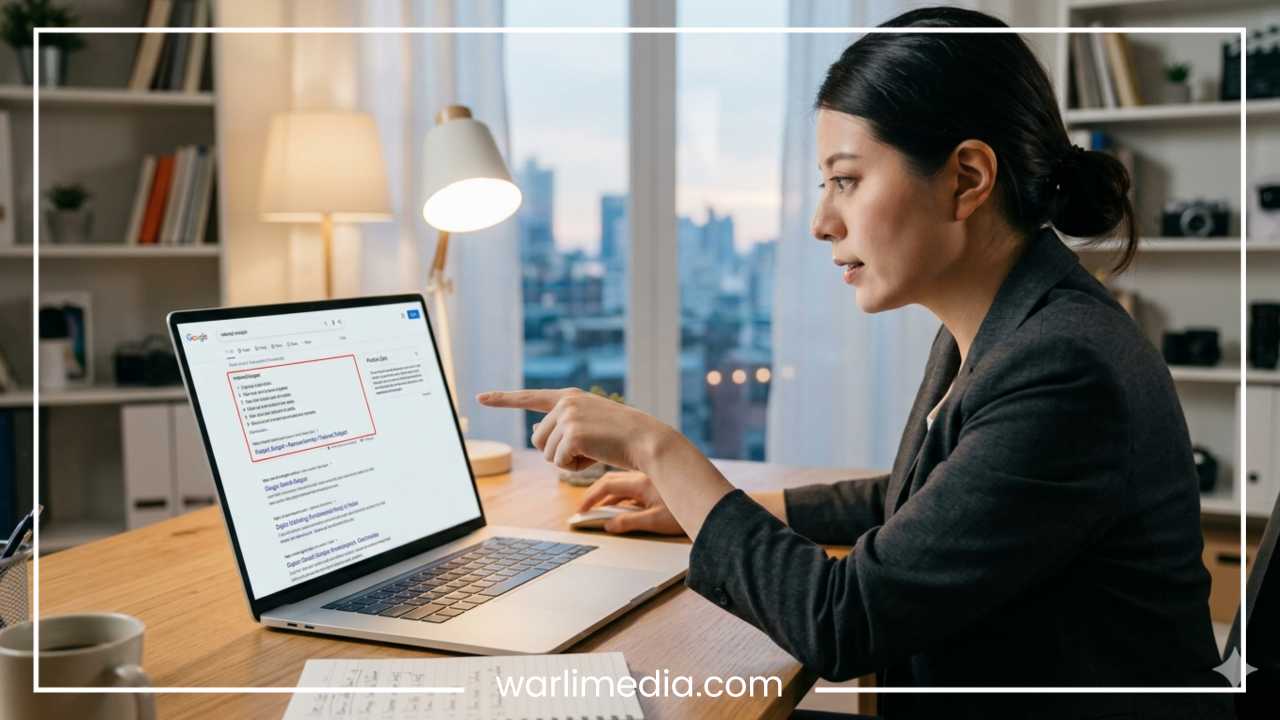
A Featured Snippet is a selected search result that appears at the very top of Google’s organic listings, situated just below paid advertisements but above standard organic links. Google displays these snippets to provide users with a quick, direct answer to an informational search query.
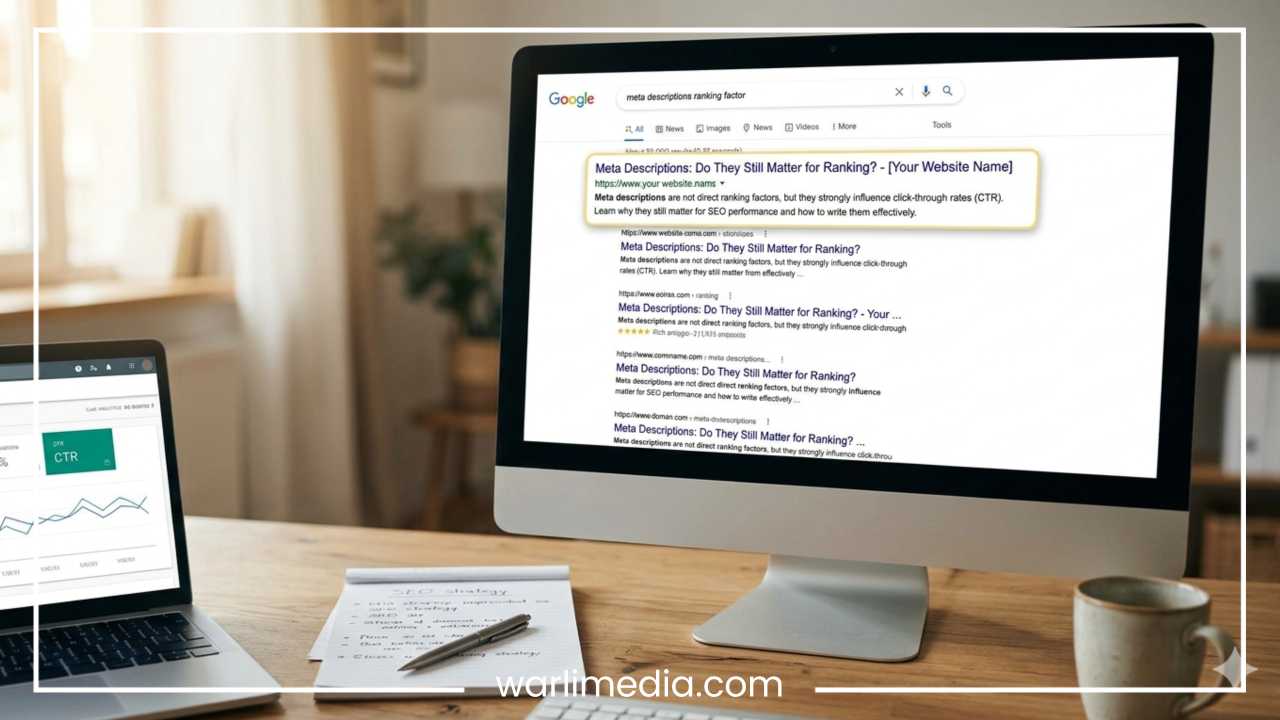
Historically referred to by SEO professionals as Position 0, the Featured Snippet breaks the mold of standard search results. A traditional organic search listing consists of a blue title link, a green or grey URL string, and a meta description of around 155 characters that describes the page’s content. A Featured Snippet reverses this hierarchy. It puts the extracted content first, magnifying it in a larger font size, and appends the source link and page title underneath.
The fundamental difference lies in the user intent. Standard organic results suggest places where you can find your answer. A Featured Snippet is the answer. Google automatically scans its index, detects pages that answer the user’s specific question exceptionally well, extracts a clean block of text, list data, or tabular information, and highlights it for the searcher.
To illustrate, if you search for “how to fix a leaky faucet,” a traditional search result gives you a title like “10 Easy Steps to Fix a Faucet.” If Google decides a Featured Snippet is more helpful, it will extract the actual numbered steps directly onto the SERP, allowing you to see the tools and initial directions before you ever click through to the website.
Read: 10 SEO Best Practices You Should Implement Today
Types of Featured Snippets
Google does not use a one-size-fits-all format for Featured Snippets. The search engine dynamically adjusts the presentation style based on the nature of the search query and the structure of the data it finds on the web page. There are four primary types of Featured Snippets you will encounter.
Paragraph Snippets
Paragraph snippets are the most common format. They appear as a short block of text, usually ranging from 40 to 60 words, accompanied by a link to the source website. Sometimes, Google will also pull a relevant image from the same page (or even a different page) and place it alongside the text block.
When they appear: Google favors paragraph snippets for conceptual, definition-oriented queries.
Trigger phrases: Keywords starting with “what is,” “why does,” “definition of,” or “history of” routinely trigger paragraph results.
Example: A search for “what is photosynthesis” will yield a clean, two-sentence explanation defining the biological process.
List Snippets
When a query requires a sequence of items, steps, or options, Google uses a list snippet. These are divided into two distinct sub-categories.
Ordered Lists
Ordered lists display items in a strict numerical sequence (1, 2, 3, etc.). Google uses these when the order of operations is vital to the success of the task.
Trigger phrases: Queries starting with “how to,” “steps to,” or “recipe for” trigger ordered lists.
Example: Searching for “how to change a flat tire” displays a numbered step-by-step breakdown.
Unordered Lists
Unordered lists use bullet points rather than numbers. Google deploys these when a user wants a collection of items, but the sequence or order of those items does not matter.
Trigger phrases: Queries like “best smartphone brands,” “types of clouds,” or “essential camping gear” frequently generate bulleted lists.
Table Snippets
Google values structured data highly. If a user is looking for data comparison, pricing structures, or specifications, Google will extract data directly from an HTML table on a web page and show it as a Table Snippet.
Google does not just replicate your table layout blindly; it will often clean up the data, showing only the columns and rows it deems most relevant to the searcher’s specific query. If the source table has more rows than the snippet box allows, Google adds a clickable link at the bottom indicating that more rows are available on the website.
When they appear: These snippets are common for financial summaries, feature comparisons, component lists, and pricing matrixes.
Trigger phrases: Queries containing “vs,” “comparison,” “rates,” “specifications,” or “sizes” often trigger table layouts.
Video Snippets
For certain queries, text and images are insufficient to explain a concept adequately. When a user needs to see something in action, Google pulls a video snippet, almost exclusively sourced from YouTube.
What makes video snippets unique is Google’s ability to execute a feature called a Suggested Clip. Using automated transcription and timestamp analysis, Google will not just link you to the start of a video; it will highlight a precise segment within the timeline where your answer is discussed and start playback from that exact second.
When they appear: Physical tutorials, software walk-throughs, fixes, or musical instrument tutorials.
Trigger phrases: “How to tie a tie,” “where is the cabin air filter on a sedan,” or “how to play a G chord on guitar.”
Read: The Role of Keywords in Modern SEO
How Featured Snippets Work
The process Google uses to select and serve a Featured Snippet relies on automation, Natural Language Processing (NLP), and algorithmic evaluation. No webmaster can buy a Featured Snippet through Google Ads, nor can they manually submit a page to be featured.
| Phase | System Action | Goal |
| Parsing | Evaluates explicit and implicit questions in user query | Identify search intent |
| Filtering | Scans top 10 organic results for candidate blocks | Gather authoritative text |
| Extraction | Uses NLP to pull the exact sentence, list, or table | Isolate the core answer |
| Validation | Checks for clarity, readability, and safety compliance | Deliver clean SERP feature |
The cycle begins when a user inputs a query. Google’s algorithm analyzes the phrasing to determine if the search intent is informational. If the algorithm concludes that the searcher is looking for a direct fact, definition, or set of instructions, it triggers a programmatic request for a snippet candidate.
Instead of scanning the entire world wide web in real-time, Google looks to its top organic results for that query. Research indicates that the vast majority of Featured Snippets are sourced from pages that already occupy positions one through ten on the first page of results. Google leverages its primary core ranking algorithms to establish a baseline of trust and authority first.
Once Google identifies the top-ranking pages, it uses advanced machine learning models to parse the HTML structure of those documents. The algorithm searches for contextual clues, such as headings, list tags, and tables that reside near relevant keywords. It evaluates how cleanly a block of text answers the user’s query.
If a page has clear paragraph structures or direct responses to the target question, Google’s NLP system extracts that precise snippet, strips out unnecessary filler words, and displays it inside the snippet container on the search results page.
Why Featured Snippets Matter for SEO
The addition of Featured Snippets completely changed the landscape of search engine optimization. Some digital marketers view them as traffic drivers, while others view them with caution due to their potential to keep users on Google’s platform. Evaluating their impact requires looking at both sides of the coin.
Increased Visibility and the Prime Real Estate Effect
The most obvious benefit of earning a Featured Snippet is unprecedented visibility. Occupying the very top of the organic search results means you appear above the traditional first position. On mobile devices, where screen space is at a premium, a Featured Snippet can easily consume the entire viewable area above the fold. This high visibility draws the searcher’s eye away from surrounding results and focuses it squarely on your brand’s content.
The Nuanced Reality of Click-Through Rates
For years, digital marketers assumed that ranking higher automatically translated to more traffic. With Featured Snippets, that relationship is more complex.
The Zero-Click Scenario: If a user searches for a simple, binary fact like “what year was the lightbulb invented,” the Featured Snippet provides the exact answer instantly. The user has no reason to click through to the underlying website. In this case, the snippet reduces the overall click-through rate (CTR) for the keyword.
The High-Intent Scenario: If the query is complex, such as “how to draft a freelance contract,” a paragraph snippet can only scratch the surface. It provides an introductory overview or an abbreviated list of steps. Because the user requires deep context, a complete template, or detailed instructions, they are highly likely to click the source link. For these deep informational queries, winning the snippet dramatically increases traffic.
Brand Authority and Public Trust
When Google pulls your content out of the standard search lineup and highlights it in a dedicated box, it is giving your brand an implicit stamp of approval. Users naturally view the featured site as the definitive authority on that topic. This instant credibility can improve your brand’s reputation, increase brand search volume, and build user trust before the visitor even lands on your website.
Dominance in Voice Search
As smart speakers and voice assistants have integrated into daily life, Featured Snippets have become critical for voice search optimization. When a user asks Google Assistant or a similar service a question aloud, the device does not read a list of ten links. It reads a single answer. In the vast majority of cases, the spoken answer is pulled directly from the text block of a Featured Snippet. If you do not own the snippet, you are completely invisible in voice search results for that query.
Types of Queries That Trigger Featured Snippets
Featured Snippets do not appear for every search query. Commercial intent keywords, such as “buy running shoes online” or “best CRM software pricing,” generally trigger shopping carousels or paid text ads instead. Featured Snippets are tied almost entirely to informational search queries.
Direct Definitions (“What is…”)
When a user encounters a term they do not recognize, they turn to search engines for a definition. Queries that ask for definitions are highly predictable, making it easy for Google’s algorithm to match them with a clear paragraph snippet on an authoritative page.
Process Explanations (“How to…”)
Users frequently want to know how to perform a task, assemble a product, or execute a strategy. These procedural queries demand chronological instructions, which naturally trigger ordered lists or video snippets.
Cause and Effect (“Why does…”)
Queries exploring causality require nuanced, clear, and direct logical links. Google looks for authoritative resources that state a cause and its effect within a tight paragraph block.
Aggregate Ideas (“Best ways to…”)
When users want suggestions, ideas, or tips to solve a problem, they look for lists. Instead of step-by-step numbers, these queries trigger unordered bulleted lists highlighting multiple valid avenues of approach.
Comparison Inquiries
When a searcher is torn between two options, methodologies, or items, they look for comparisons. Rather than reading two separate articles, they prefer a side-by-side analysis, which is why comparison queries are the single largest driver of table snippets.
How to Optimize for Featured Snippets
Winning a Featured Snippet is not a matter of luck. It is the result of deliberate formatting, strategic content placement, and clear writing. Because Google is pulling this information algorithmically, you must construct your web pages in a way that makes it effortless for a machine to identify, isolate, and extract your answers.
Structure Content with Clear Heading Hierarchies
Google relies on your heading tags (H2, H3, H4) to understand the architecture of your article. If you want to win a snippet for a specific query, use that exact query, or a close variation of it, as a heading.
If you want to target the snippet for “How to clean a leather jacket,” make that phrase an H2 heading. Directly beneath that heading, place the content format Google expects to see. Do not bury the answer under five paragraphs of backstory or personal anecdotes. Keep the answer close to the heading.
Craft the “Snippet Bait” Paragraph
For definition and conceptual queries, you should intentionally write what SEO professionals call a snippet bait paragraph. This is a highly focused block of text designed to fit perfectly inside Google’s snippet container.
Keep it concise: Aim for a length between 40 and 60 words.
Be direct: Start the sentence by answering the question directly. Use clear syntax like “X is a method of…” or “Y occurs when…”
Avoid pronouns: Do not say “This system helps you…” Use the actual name of the concept: “Search engine optimization helps businesses…”
Provide objective value: Avoid subjective sales pitches or marketing language. Google looks for encyclopedic clarity.
Format Lists and Tables in Clean HTML
If you are targeting a list or table snippet, do not rely on standard paragraphs or stylized divs to simulate lists or columns. Use standard, semantic HTML tags.
For an ordered list, use standard ordered list tags like
<ol>and<li>.For an unordered list, use standard unordered list tags like
<ul>and<li>.For a table, use clean table markup like
<table>,<tr>,<th>, and<td>.
Google’s web crawler reads these semantic tags effortlessly. If your page uses clean table code to compare data points, the algorithm can easily index that information and reproduce it on the search results page.
Target Long-Tail and Question-Based Keywords
Broad keywords like “marketing” are highly competitive and rarely trigger Featured Snippets because the search intent is too vague. Instead, focus your keyword research on question-based queries and long-tail terms.
You can identify these questions by examining Google’s built-in search features. Look at the autocomplete suggestions that appear as you type a query, or explore the “People Also Ask” (PAA) boxes on relevant search pages. Every question listed in a PAA box is a candidate for a Featured Snippet, giving you a ready-made list of targets to optimize for.
Focus on Content That Already Ranks in the Top Ten
It is incredibly rare for a web page ranking on page three or four of Google to win a Featured Snippet. The algorithm uses its core rankings as a trust filter.
Therefore, the most efficient way to win Featured Snippets is to audit your existing content. Identify the pages on your site that already rank in positions two through eight for high-volume informational keywords. These pages have already proven their value and authority to Google; they are on the threshold of winning the snippet. By revising their formatting, adding snippet bait paragraphs, or restructuring their lists into clean HTML, you can often secure the Featured Snippet quickly.
Leverage Schema Markup
While Google does not explicitly require schema markup to award a Featured Snippet, using structured data can give your site a distinct advantage. Implementing FAQPage schema or HowTo schema explicitly tells search engine crawlers exactly where your questions and answers reside within your code. This explicit labeling reduces algorithmic ambiguity and helps Google parse your content with higher confidence.
Featured Snippet Examples
To see how these optimization strategies work in practice, let us look at how Google analyzes a piece of web content to generate different snippet types.
Example A: The Paragraph Snippet Extraction
Imagine a user inputs the search query: What is a bounce rate in web analytics?
An optimized article on an authoritative marketing blog features an H2 heading titled: What is a Bounce Rate? Directly beneath that heading sits this paragraph:
A bounce rate is a web analytics metric that measures the percentage of visitors who enter a website and leave rather than continuing to view other pages within the same site. It calculates the ratio of single-page sessions to total website visits.
Google’s algorithm identifies the clear H2 heading that matches the user’s question. It scans the paragraph directly below and detects a direct definition within the ideal 40-to-60-word range. The text avoids fluff and states exactly what the metric is. The algorithm extracts this text block intact, presents it as a paragraph snippet, and appends a link to the article below it.
Example B: The List Snippet Extraction
A user searches for the term: Steps to bake a sourdough starter.
On a culinary website, an article includes an H2 heading titled: How to Build Your Sourdough Starter. The content below is structured with standard HTML list tags, featuring four distinct steps:
Combine equal parts flour and water in a clean jar.
Let the mixture rest in a warm area for twenty-four hours.
Discard half of the mixture and add fresh flour and water daily.
Watch for consistent bubbling and a pleasant sour aroma by day seven.
Google recognizes the procedural query and scans the page for an ordered list. It finds the four ordered steps directly underneath a matching header. The algorithm extracts the text inside each step and displays them as a neat, numbered list snippet on the search page, allowing the user to understand the lifecycle of the baking process immediately.
Featured Snippet vs Other SERP Features
As search results have become more interactive, Featured Snippets are often confused with other specialized search elements. It is important to distinguish Featured Snippets from these other visual features.
| SERP Feature | Data Source | Layout Presentation | Primary Interaction |
| Featured Snippet | Single high-ranking third-party web page | Text, list, or table inside a border with a distinct source link | Direct click to source website |
| Knowledge Panel | Structured data entities like Wikidata and Google Maps | A large vertical block displayed on the right side of desktop results | Broad exploratory browsing of facts |
| People Also Ask | Multiple distinct high-ranking web pages | Accordion-style lists of expandable contextual questions | Infinite accordion unfolding |
| AI Overviews | Large language models synthesizing information from many sites | A multi-paragraph response with text links embedded inline | Conversational query refinement |
Knowledge Panels
Knowledge Panels appear on the right side of desktop search results pages. They focus on entities, such as notable people, established corporations, geographic locations, or historical events. The data inside a Knowledge Panel is sourced from Google’s Knowledge Graph, which compiles verified facts from structured repositories like Wikipedia, Wikidata, and official corporate entities. Unlike a Featured Snippet, a Knowledge Panel does not attribute its primary information to a single, high-ranking blog post or article.
People Also Ask (PAA) Boxes
People Also Ask boxes are interactive accordions containing a series of questions related to the user’s primary search query. Clicking on a PAA question expands the box to reveal a short text snippet and a link to the source website. Each individual accordion item functions essentially as a mini Featured Snippet. However, while a Featured Snippet stands alone as a primary answer at the top of the page, PAA boxes are grouped elements that can appear at various positions throughout the SERP.
Rich Results
Rich results are enhanced standard organic search listings. They include extra visual and interactive elements, such as star ratings beneath review pages, recipe cooking times, product stock availability, or event dates. Rich results maintain the traditional structure of a search listing (Title, URL, Description) but append these helpful data points using explicit schema markup. They do not extract whole paragraphs or step-by-step lists into a dedicated answer box like Featured Snippets do.
AI Overviews
AI Overviews represent a significant step in the evolution of search engine layout. Powered by generative artificial intelligence, an AI Overview does not simply extract a single block of text from one source webpage. Instead, it synthesizes an entire multi-paragraph response by reading and cross-referencing information from many different websites simultaneously.
While AI Overviews occupy prominent real estate at the top of the page, Featured Snippets continue to exist alongside or directly beneath them, serving as highly targeted, single-source references for specific user questions.
Common Mistakes to Avoid
When attempting to optimize content for Featured Snippets, creators often fall into predictable traps that inadvertently disqualify their pages from being selected by Google’s automated systems.
Writing Long-Winded, Anecdotal Introductions
A common mistake in content writing is burying the lead. Writers often feel compelled to introduce a topic by telling a personal story, discussing the history of the industry, or using stylistic phrasing before addressing the main topic.
If a user searches for “what is a firewall,” and your article spends the first 400 words explaining the history of computer networks, Google’s algorithm may skip over your page entirely. Keep your answers clear, prompt, and easy for search bots to locate.
Ignoring Structural Coding Formats
You cannot expect Google to generate a table snippet from your content if your comparison data is written across three standard text paragraphs. Similarly, a numbered list should not be built using plain text hyphens or manual bold numbers at the start of a standard paragraph line. Without proper HTML headings, list tags, and table structures, the algorithm lacks the structural confidence it needs to parse and extract your data cleanly.
Targeting Overly Competitive, Low-Intent Keywords
Many businesses waste resources trying to win Featured Snippets for broad, generic keywords. These highly competitive terms rarely trigger snippets because their search intent is too diverse for a single, direct answer. Focus your optimization efforts on clear, conversational, long-tail questions where the user intent is highly defined.
Over-Optimization and Keyword Stuffing
In an effort to catch Google’s attention, some content creators fill their snippet bait paragraphs with an unnatural density of target keywords. This over-optimization hurts readability and triggers quality filters within Google’s spam prevention algorithms. Write your definitions naturally, prioritizing clarity and encyclopedic accuracy over keyword density.
The Future of Featured Snippets
The search engine optimization landscape is dynamic, and the presentation of information on search results pages continues to change. The introduction of generative AI tools like Google’s AI Overviews has led many to wonder about the long-term viability of traditional Featured Snippets.
Rather than making Featured Snippets obsolete, AI search features are integrating alongside them. Generative AI summaries excel at handling complex, multi-layered queries that require synthesizing viewpoints from across the web. However, for direct, transactional facts, specific step-by-step technical guides, and side-by-side data tables, Google’s classic Featured Snippet format remains highly efficient. It requires significantly less computational power to serve and provides users with a direct, single-source reference they can verify instantly.
As search experiences become more interactive, the formatting requirements for digital publishers will likely become even stricter. Content that is ambiguous, disorganized, or poorly formatted will struggle to maintain visibility. Conversely, websites that prioritize precise formatting, clear semantic HTML, and direct, informative answers will continue to secure prominent search real estate, driving brand discovery and organic traffic across the web.
Final Thoughts
Earning Featured Snippets is one of the most effective ways to boost your organic search visibility, establish your brand as a trusted industry authority, and capture high-intent search traffic. Winning these prominent placements is not an unpredictable game of chance. By understanding the algorithmic systems Google uses to parse information, you can systematically optimize your web pages to meet those criteria perfectly.
To capture this valuable search real estate, shift your content strategy toward clarity, structure, and direct utility. Audit your top-performing content, identify your high-ranking informational keywords, and refine your formatting. Structure your articles with clear heading hierarchies, write concise snippet bait definitions, and format your comparative data into clean HTML tables.
By removing layout ambiguity and answering your users’ questions directly and cleanly, you make it easy for Google’s automated systems to select your content and feature it at the very top of the search results.
Frequently Asked Questions About Featured Snippets
How long should a paragraph featured snippet be?
An ideal paragraph featured snippet is between 40 and 60 words, or roughly 250 to 350 characters. Google prefers concise, encyclopedic definitions that answer the user’s specific question immediately. When writing snippet bait paragraphs, aim to deliver a direct answer in the first two sentences to make it easy for automated crawlers to extract the text.
Can you buy a featured snippet on Google?
No, you cannot buy a featured snippet. Featured snippets are completely organic search results determined entirely by Google’s automated ranking algorithms. Even if a business runs Google Ads for a specific keyword, the search advertisement and the featured snippet remain separate features, and ad spend has no influence on snippet selection.
Does schema markup help win featured snippets?
While adding schema markup is not a strict requirement for winning a featured snippet, implementing structured data like FAQPage schema or HowTo schema dramatically increases your chances. Schema markup translates your human-readable content into precise, machine-readable code, reducing ambiguity and giving Google’s algorithm the confidence to highlight your text as an authority source.
Why did my website lose its featured snippet?
Losing a featured snippet usually happens for three reasons: a competitor updated their page with superior formatting or cleaner data structures, Google’s algorithm rolled out a core update that shifted how intent is understood for that query, or your content was refreshed and accidentally stripped of its original “snippet bait” layout. Consistently monitor your ranking pages to ensure your HTML tables, lists, and direct answers remain optimized.
What is the difference between an AI overview and a featured snippet?
A featured snippet extracts a single, direct block of information from one high-ranking web page and attributes it clearly to that specific source link. In contrast, an AI Overview leverages a large language model to synthesize a multi-paragraph summary by gathering and blending information from multiple distinct websites at once.
Do featured snippets reduce organic website traffic?
Featured snippets have a dual impact on click-through rates depending on the search intent. For simple, binary questions—like looking up a dynamic date or a short definition—they create zero-click searches that reduce traffic because the user gets everything they need on the results page. However, for deep, complex instructions or thorough guides, a snippet acts as a powerful teaser that significantly increases organic clicks to the source website.