How Do Search Engines Actually Work? | A Step-by-Step Guide
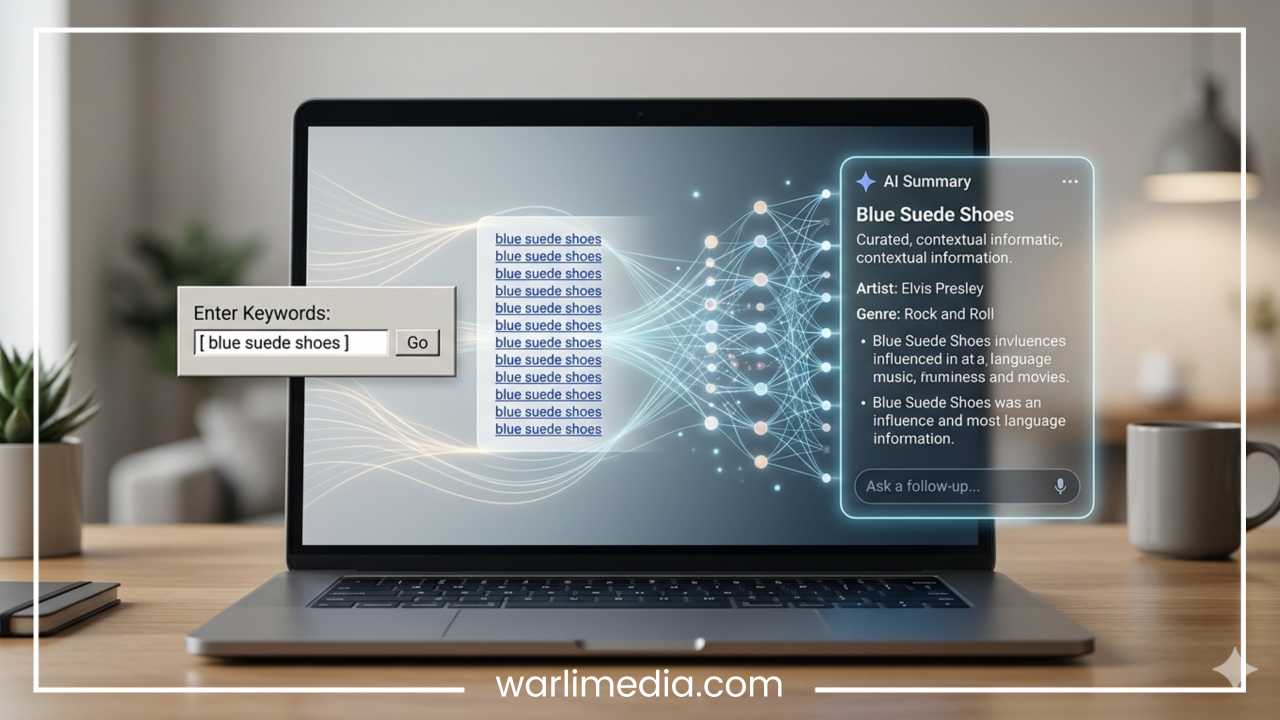
In the modern digital era, the phrase “Google it” has become synonymous with the act of seeking knowledge. Whether you are looking for a local sourdough bakery, researching complex scientific theories, or trying to find the best software for your business, search engines are the invisible gatekeepers of the internet’s vast repository of information. But what exactly happens in the milliseconds between you pressing enter and a list of highly relevant results appearing on your screen?
Understanding how search engines actually work is no longer just a requirement for IT professionals or computer scientists. For business owners, digital marketers, and content creators, this knowledge is the foundation of Search Engine Optimization (SEO). It is the difference between being discovered by millions of potential customers or remaining invisible in the dark corners of the web.
Read: Stop Hurting Your Rankings! 10 Bad Link Building Habits to Avoid
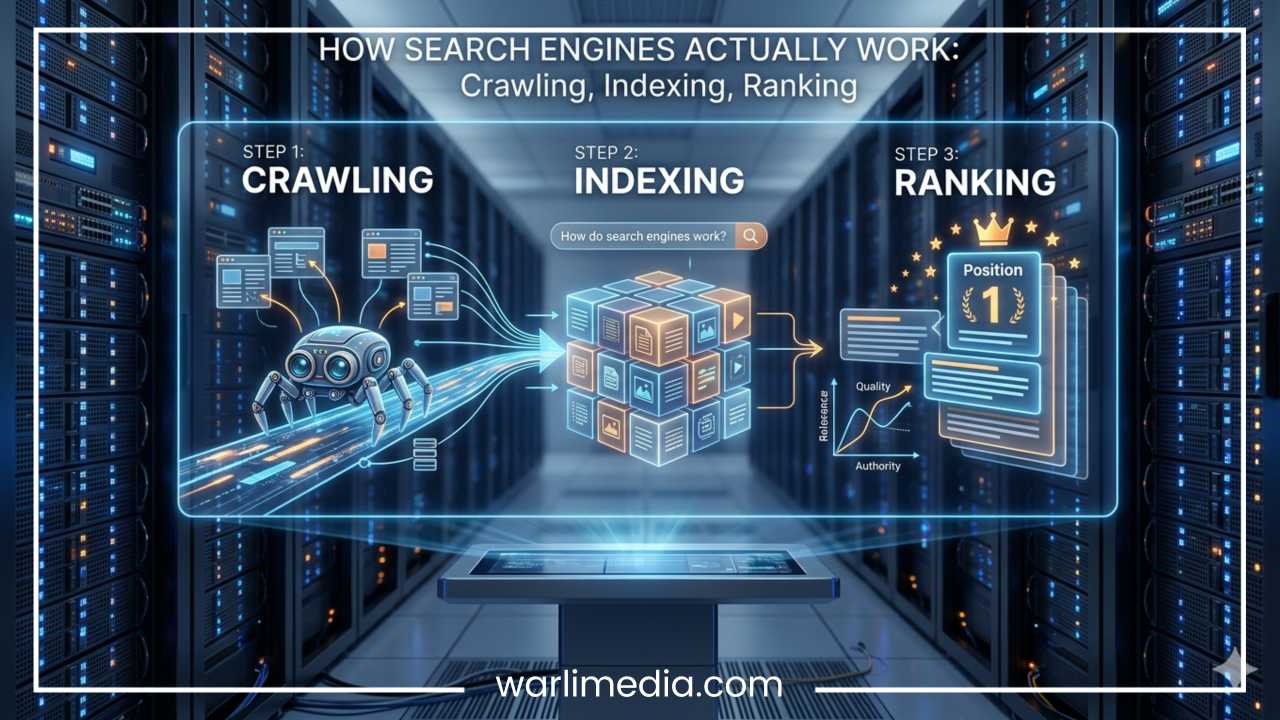
Major players like Google, Bing, and Yahoo utilize incredibly sophisticated technology to organize the world’s information. While their specific formulas—known as algorithms—are closely guarded secrets, the fundamental mechanics of how they operate remain consistent. To understand this process, we must look at the three core pillars of search: crawling, indexing, and ranking. This guide will take you through each stage, demystifying the technology that powers our daily digital lives.
What Is a Search Engine?
At its simplest level, a search engine is a web-based tool designed to search for information on the World Wide Web. Think of it as a massive, digital librarian. If the internet is a library with trillions of books but no shelf labels, the search engine is the system that reads every page, categorizes the topics, and hands you the exact book you need the moment you ask for it.
The Evolution of Search
In the early 1990s, the internet was a small, unorganized collection of FTP sites. The first search engine, Archie, simply indexed file names. As the web grew, tools like AltaVista and Yahoo appeared, relying heavily on manual directories or simple keyword matching. The true revolution occurred when search engines began analyzing the relationships between websites—treating a link from one site to another as a “vote” of confidence. This shifted the focus from simple text matching to assessing authority and relevance.
Read: Link Building Strategies: The Power of Linkbait
Search Engines vs. Browsers
A common point of confusion is the difference between a search engine and a web browser.
A Web Browser (such as Google Chrome, Mozilla Firefox, or Apple Safari) is a software application installed on your device used to access and display websites.
A Search Engine (such as Google or Bing) is a website or service accessed through the browser to find specific content.
You use a browser to go to a search engine, and you use the search engine to find where you want to go.
The 3 Core Steps of Search Engines (Overview)
To provide users with the right answers, search engines perform three primary functions in a continuous loop. These processes happen long before you ever type a query into the search bar.
Crawling: This is the discovery stage. Search engines send out “spiders” or “bots” to find new and updated content on the web. Content can vary from a webpage to an image, a video, or a PDF.
Indexing: Once a page is discovered, the search engine tries to understand what it is about. It parses the data and stores it in a giant database called an index. If a page isn’t in the index, it cannot show up in search results.
Ranking: When a user performs a search, the engine scours its index for the most relevant content and then orders it by quality and authority. This is where the algorithm decides who gets the coveted “Position 1.”
Read: What is the Google Sandbox: Myth or Reality?
Step 1: Crawling
Crawling is the process by which search engines discover updated content on the web. Because the internet is not centrally organized, search engines must constantly “crawl” to find what is out there.
What are Bots and Spiders?
Search engines use automated programs known as “bots,” “spiders,” or “crawlers.” The most famous of these is Googlebot. These bots start with a list of web addresses from past crawls and sitemaps provided by website owners. As they visit these websites, they use the links on those pages to find other pages.
How Bots Discover Pages
Bots move from link to link. This is why internal and external linking is so vital. If a new webpage has no links pointing to it, a bot might never find it.
Links: The primary path for crawlers. A link from a known page to a new page acts as a bridge.
Sitemaps: This is a file where a website owner provides a list of all the pages they want indexed. It acts as a roadmap for the bot, ensuring it doesn’t miss important sections of the site.
The Concept of Crawl Budget
Search engines do not have infinite resources. They assign a “crawl budget” to every website—this is the number of pages a bot will crawl on your site during a specific timeframe. Large sites with millions of pages must be particularly careful to ensure their most important pages are being crawled frequently, rather than the bot getting stuck on low-value pages or duplicate content.
The Robots.txt File
Website owners can communicate with crawlers using a file called robots.txt. This file tells the bot which parts of the site it is allowed to visit and which parts are off-limits (such as login pages or sensitive backend data). It is a “suggestion” rather than a legal requirement, but reputable search engines always follow these instructions.
Challenges in Crawling
Not all content is easy to crawl. For a long time, search engines struggled with JavaScript. Because JavaScript requires “rendering” (running the code to see the visual output), it is much more resource-intensive than reading plain HTML. While modern bots are much better at rendering JavaScript, it remains a common hurdle for complex, interactive websites.
Step 2: Indexing
Once a bot crawls a page, the next step is indexing. If crawling is the act of finding books in the world, indexing is the act of reading them and adding them to the library’s master catalog.
What is Indexing?
When a search engine indexes a page, it processes the information on that page and stores it in a massive database (the Index). Google’s index, for example, contains hundreds of billions of webpages and is well over 100,000,000 gigabytes in size.
What Gets Stored?
The search engine doesn’t just save a copy of the page. It analyzes:
Text content: The main topics and keywords.
Key HTML tags: Titles, headers (H1, H2), and meta descriptions.
Images and Video: Through file names, alt text, and surrounding descriptions.
Structured Data: Code snippets (Schema markup) that help the engine understand if a page is a recipe, a product review, or an event.
Canonical URLs and Duplicate Content
Sometimes, the same content appears on multiple URLs (e.g., a “printer-friendly” version of an article). To avoid cluttering the index with copies, search engines try to determine the Canonical URL—the “master” version of the page. If a site has too much duplicate content, the search engine may become confused, which can negatively impact how the site is indexed.
Tools for Indexing
Website owners use tools like Google Search Console or Bing Webmaster Tools to monitor their index status. These platforms show which pages have been successfully added to the index and highlight “indexation errors” that might be preventing a page from appearing in search results.
Step 3: Ranking
Ranking is the final and most complex stage. When you type a query into a search engine, the system must decide which of the billions of pages in its index are most likely to satisfy your request. It then sorts them by relevance and quality.
Key Ranking Factors
While there are hundreds of variables in a ranking algorithm, they generally fall into a few major categories:
Relevance: How well does the content of the page match the user’s query? This includes keyword usage but has evolved to include “topical authority”—whether the site as a whole is a trusted source on the subject.
Quality and Expertise: Search engines look for signals that the content is accurate and written by someone with authority. Google often refers to this as E-E-A-T (Experience, Expertise, Authoritativeness, and Trustworthiness).
Backlinks (Authority): If other reputable websites link to your page, it acts as a signal of trust. Backlinks remain one of the strongest indicators of a page’s importance.
User Experience: This includes “Core Web Vitals”—metrics that measure how fast a page loads, how quickly it becomes interactive, and whether the layout shifts unexpectedly.
Freshness: For certain queries (like news or weather), the most recent information is prioritized.
The Role of Algorithms
An algorithm is a mathematical formula that performs these calculations in a split second. These algorithms are updated constantly. Some updates are small, while others—like Google’s PageRank (the original algorithm that valued links) or modern “Core Updates”—can cause significant shifts in who appears at the top of the results.
Understanding Search Intent
Modern ranking is heavily focused on “Intent.” Search engines try to categorize every query into one of four buckets:
Informational: The user wants to learn something (e.g., “how to fix a leak”).
Navigational: The user wants to go to a specific site (e.g., “Facebook login”).
Transactional: The user wants to buy something (e.g., “buy iPhone 15”).
Commercial: The user is researching before a purchase (e.g., “best laptops for gaming”).
If your page provides a great guide (informational) but the user is looking to buy (transactional), you likely won’t rank for that specific search, regardless of your content quality.
How Search Results Are Displayed (SERPs)
The Search Engine Results Page (SERP) is the interface where the results are presented. In the early days, this was just “ten blue links.” Today, the SERP is a rich, interactive environment.
Organic vs. Paid Results
Organic Results: These are the “natural” results earned through SEO and relevance. They are not paid for.
Paid Results (PPC): These appear at the top or bottom of the page, usually marked with a “Sponsored” or “Ad” tag. Advertisers bid on keywords to appear here.
Search Features
Search engines now provide answers directly on the page to save users time:
Featured Snippets: A box at the top of the SERP that answers a question immediately.
Knowledge Panels: A box on the right side of the screen providing facts about entities (people, places, companies).
Local Packs: A map and list of businesses for queries with local intent (e.g., “plumbers near me”).
Advanced Concepts
As technology progresses, search engines are moving away from simple word-matching toward a deeper understanding of human language.
AI and Machine Learning
Artificial Intelligence plays a massive role in modern search. Google’s RankBrain was one of the first machine-learning components of the algorithm, helping the engine understand ambiguous queries it had never seen before. Today, AI helps the search engine understand the nuance of language and the relationship between different concepts.
Semantic Search
Semantic search is the ability to understand the meaning behind words. For example, if you search for “the tall green lady in New York,” the search engine understands you are likely looking for the Statue of Liberty, even though you didn’t use that specific name. It looks at context, synonyms, and user history to provide the best answer.
Voice Search and Mobile-First Indexing
With the rise of smartphones and smart speakers, more searches are being conducted via voice. These queries tend to be more conversational and longer. Additionally, search engines now primarily use the mobile version of a website for crawling and indexing (Mobile-First Indexing) because most users now access the web via mobile devices.
Common SEO Mistakes to Avoid
In an attempt to rank higher, many people fall into traps that can actually hurt their visibility.
Keyword Stuffing: Repeating a keyword dozens of times in a way that feels unnatural. Search engines are smart enough to spot this and may penalize the page.
Ignoring Mobile Optimization: If your site doesn’t work well on a phone, it will likely struggle to rank in a mobile-first world.
Slow Website Speed: High bounce rates (users leaving immediately) occur when a site takes more than a few seconds to load.
Thin Content: Creating hundreds of pages with very little useful information. Search engines prefer “depth” and “value” over “quantity.”
Neglecting Internal Links: If you don’t link your own pages together, you make it harder for bots to discover your content and understand your site’s structure.
How to Optimize for Search Engines (Practical Tips)
If you want your website to perform well, you need a balanced approach to SEO.
Keyword Research
Start by identifying what your audience is actually searching for. Use tools to find “long-tail keywords”—longer, more specific phrases that are often easier to rank for than broad terms.
On-Page SEO
Ensure every page has a clear structure. Use one H1 tag for the main title, and use H2 and H3 tags for subheaders. Write compelling meta descriptions that encourage users to click.
Technical SEO
Ensure your site is “crawlable.” Fix broken links (404 errors), use an SSL certificate (HTTPS), and submit an updated XML sitemap to search engines.
Content Strategy
Create content that answers the user’s questions better than anyone else. Focus on clarity, accuracy, and engagement. Long-form content often performs well, but only if it stays relevant and avoids “fluff.”
Backlink Building
Earn links by creating high-quality content that people want to reference. Guest posting on reputable sites and engaging in digital PR can also help build your site’s authority.
Future of Search Engines
The landscape of search is shifting from “search results” to “answer engines.”
AI-Driven Search: Generative AI is being integrated into search engines to provide synthesized answers from multiple sources.
Visual Search: Tools like Google Lens allow users to search using a photo rather than text.
Personalization: Results are becoming increasingly tailored to an individual’s location, past behavior, and preferences.
Zero-Click Searches: As search engines get better at providing answers on the SERP, fewer users are clicking through to websites for simple queries. This makes it even more important to provide deep, high-value content that requires a full visit.
Final Thoughts
Search engines are marvels of modern engineering. They successfully organize the chaos of the internet into a structured, searchable format that we use every day. By understanding the journey of a webpage from crawling to indexing and finally to ranking, you gain the insight necessary to navigate the digital world effectively.
Whether you are a casual user or a professional looking to grow a brand, remember that search engines have one ultimate goal: to provide the best possible answer to the user. If you focus on creating high-quality, accessible, and authoritative content, the search engines—and the users they serve—will eventually find you. Start applying these principles today, and watch your visibility grow in the ever-expanding digital library of the web.