
What is Crawling? A Comprehensive Guide to How Search Engines Discover the Web
Before a webpage can appear in Google search results, capture organic traffic, or generate business revenue, it must undergo a foundational digital journey. Every article published, every e-commerce product listed, and every corporate homepage launched is completely invisible to search engines until it experiences a process known as crawling.
Web crawling is the bedrock of the modern internet. It is the mechanism by which search engines map the ever-expanding digital universe. With billions of active websites and trillions of individual pages, the internet resembles an infinite, uncataloged library. Without a systematic method to explore and record this vast landscape, finding a specific piece of information would be virtually impossible.
Search engines like Google and Bing do not discover websites by accident. They deploy sophisticated software programs designed to continuously navigate the web, jumping from link to link to discover new and updated content. This exploratory process is the absolute first step in the lifecycle of search engine optimization (SEO).
Understanding what crawling is, how it functions, and how to optimize your website for it is not just a technical requirement for developers. It is a strategic necessity for marketers, business owners, and content creators who want their digital assets to be found by the world.
Read: Marketing vs. Sales: The Dream Team for Growth
What is Web Crawling?
At its most fundamental level, web crawling is the automated process by which software applications systematically browse the World Wide Web to discover and download content. These automated programs are known by several interchangeable names, including web crawlers, search engine bots, web spiders, or automated indexing programs.
What is a Web Crawler?
A web crawler is a specialized script or program that acts as an automated browser. When a human browses the internet, they type a URL into an address bar or click on a link to move from one page to another. A web crawler operates in exactly the same way, but at an incredibly massive scale and at lightning-fast speeds. It does not look at images or appreciate web design; instead, it reads the underlying code of a page, extracts the text and metadata, and identifies every single link embedded within that content.
The most famous web crawler in the world is Googlebot, the software that powers Google’s search engine. Bing utilizes Bingbot, while other search engines and marketing platforms use their own specialized versions.
Read: The Ultimate Guide to B2B Sales Success
How Crawlers Discover Webpages
The web is a vast network of interconnected nodes, where each node is a URL and each connection is a hyperlink. Web crawlers discover content by treating these hyperlinks as pathways.
The discovery process begins with a list of known web addresses, often compiled from previous crawls and supplemented by website blueprints provided by site owners. As the crawler visits these initial addresses, it scans the HTML code of each page to find links to other pages. When it encounters a new link, it adds that URL to a massive list of pages to visit next, known as the crawl queue. Through this continuous cycle of visiting, extracting, and following links, a crawler can discover millions of pages across different servers worldwide in a matter of hours.
Read: 2026 Online Marketing Strategies & Trends
Human Browsing vs. Crawler Browsing
While both humans and crawlers read web content, their methods, goals, and limitations are vastly different. Understanding these differences is critical for optimizing a website’s technical health.
Visual vs. Textual Perception: A human user experiences a website through its rendered visual interface, looking at layout, colors, typography, and interactive elements. A crawler, conversely, views the raw source code. It reads HTML, processes CSS to understand structural layout, and attempts to execute JavaScript to reveal hidden content.
Interaction Limitations: Human beings can fill out forms, complete checkout processes, click through complex multi-level dropdown menus, and solve CAPTCHAs. Standard search engine crawlers generally avoid filling out forms or entering login credentials. If content is gated behind a password or requires a user action like a button click to load, a crawler may never see it.
Speed and Scale: A human might browse twenty or thirty pages in an hour. A powerful search engine crawler can visit thousands of URLs per second, analyzing data volumes that would take a human lifetime to read.
Read: From Pitching to Partnering: Qualities of Good Salesman
How Search Engine Crawling Works
The operation of a search engine crawler is a highly engineered, cyclical workflow. It balances resource management, network efficiency, and complex algorithms to explore the web without crashing the servers that host websites.
The Five Core Steps of the Crawling Process
The workflow of a search engine crawler can be broken down into five distinct phases that run continuously in parallel across the globe.
1. URL Discovery
The process begins with the identification of a URL. A search engine cannot crawl a page it does not know exists. Discovery occurs when a crawler scans an already known webpage and finds a new hyperlink pointing elsewhere, or when a webmaster explicitly submits a directory of URLs directly to the search engine.
2. The Crawl Queue and Scheduling
Once a URL is discovered, it does not get crawled immediately. Instead, it enters a master repository called the crawl queue. A highly sophisticated scheduling algorithm manages this queue, prioritizing URLs based on factors like page authority, historical update frequency, and perceived user demand.
3. Fetching the Page
When a URL reaches the front of the queue, the crawler initiates a request to the server hosting that webpage. This is identical to a browser requesting a page when a user clicks a link. The server responds by sending back the page’s source code, typically accompanied by an HTTP status code indicating whether the request was successful.
4. Parsing and Analysis
Once the crawler receives the HTML file, it parses the document. It reads the page title, headers, main copy, image alternative text, and structural metadata. During this stage, the crawler extracts all hyperlinks found within the HTML to feed them back into the URL discovery phase, continuing the cycle.
5. Storage and Transfer
The downloaded content and structural data are temporarily saved and sent to the search engine’s processing systems. From here, the data undergoes refinement, translation, and preparation for storage in the main database, setting the stage for the search engine to decide whether the page is worthy of inclusion in its index.
Key Technical Infrastructure Elements
To manage this monumental task efficiently, search engines rely on a specific set of tools and architectural parameters.
The Crawl Queue
The crawl queue is the brains of the operation. It is not a simple first-in, first-out line. It is a dynamic prioritization engine. Pages that change frequently, such as news portals or stock market updates, are scheduled for re-crawling far more often than static corporate contact pages.
Crawl Budget
Search engines do not have infinite resources, nor do the servers hosting websites. The crawl budget is the total number of URLs a search engine bot can and wants to crawl on a website within a specific timeframe. It is determined by two main factors:
Crawl Host Load: How many concurrent requests a website’s server can handle before its performance degrades.
Crawl Demand: How popular or valuable the website is to the search engine’s users. If a site rarely updates, the demand drops, and the crawler will allocate less budget to it.
Internal Links and Navigation
Internal links are hyperlinks that connect different pages on the same website. They act as the internal highway system for a crawler. If a page has no internal links pointing to it, it is known as an orphan page, and a crawler will struggle to find it during its standard routine.
XML Sitemaps
An XML sitemap is a structured file containing a list of all the essential pages on a website that the owner wants search engines to discover. Think of it as a dedicated directory given directly to the crawler, ensuring that even if a page is buried deep within the site architecture, the bot can locate it instantly without relying solely on hyperlinks.
Analogy: Imagine web crawlers as highly efficient librarians walking through an infinite bookstore. They scan the titles and tables of contents of newly arrived books, note down the references to other books mentioned within them, and update the master catalog so readers can find them later.
Types of Web Crawlers
Not all crawlers are created equal. While they use similar underlying technologies, their objectives, scale, and operational boundaries vary dramatically depending on the organization operating them.
Search Engine Crawlers
These are the most expansive and resource-rich crawlers on earth. Their objective is to maintain a comprehensive copy of the public web to power global search utilities.
Googlebot: The primary crawler for Google, operating in two main variants: Googlebot Desktop and Googlebot Smartphone. Today, Google primarily utilizes its smartphone crawler to evaluate pages from a mobile-first perspective.
Bingbot: The core automated web crawler deployed by Microsoft to keep the Bing search engine up to date.
YandexBot and Baidu Spider: Regional search engine crawlers that focus heavily on Cyrillic and Chinese language regions, respectively.
Focused Crawlers
Also known as topical crawlers, these programs do not try to download the entire internet. Instead, they are designed to download pages that are relevant to a specific pre-defined topic, industry, or niche. For example, a sports statistics aggregator might deploy a focused crawler designed to only seek out and read box scores and athletic profiles while ignoring recipe blogs and financial news.
Incremental Crawlers
An incremental crawler focuses on refreshing an existing database rather than discovering entirely new territories. It revisits previously crawled pages to see if content has been updated, deleted, or modified. This type of crawling is crucial for maintaining data accuracy over time, ensuring search engines do not display outdated content to users.
Deep Web Crawlers
Much of the data on the internet is hidden behind searchable databases, forms, and dynamic user interfaces. This is known as the deep web. A deep web crawler is specially programmed to interact with database forms, generating automated queries to extract information that would otherwise remain hidden from a standard hyperlink-based crawler.
Commercial SEO Crawlers
Digital marketers and SEO agencies need to audit websites to look for technical flaws, broken links, and optimization opportunities. To do this, they use commercial crawling tools that mimic search engine behavior but report their findings directly to the website owner instead of a public search engine.
Screaming Frog SEO Spider: A desktop-based program that crawls local or live websites to provide granular technical SEO reports.
Ahrefs and Semrush Bots: Cloud-based crawlers that scour the global web to build massive backlink indices, keyword databases, and competitive intelligence tools used by marketing professionals worldwide.
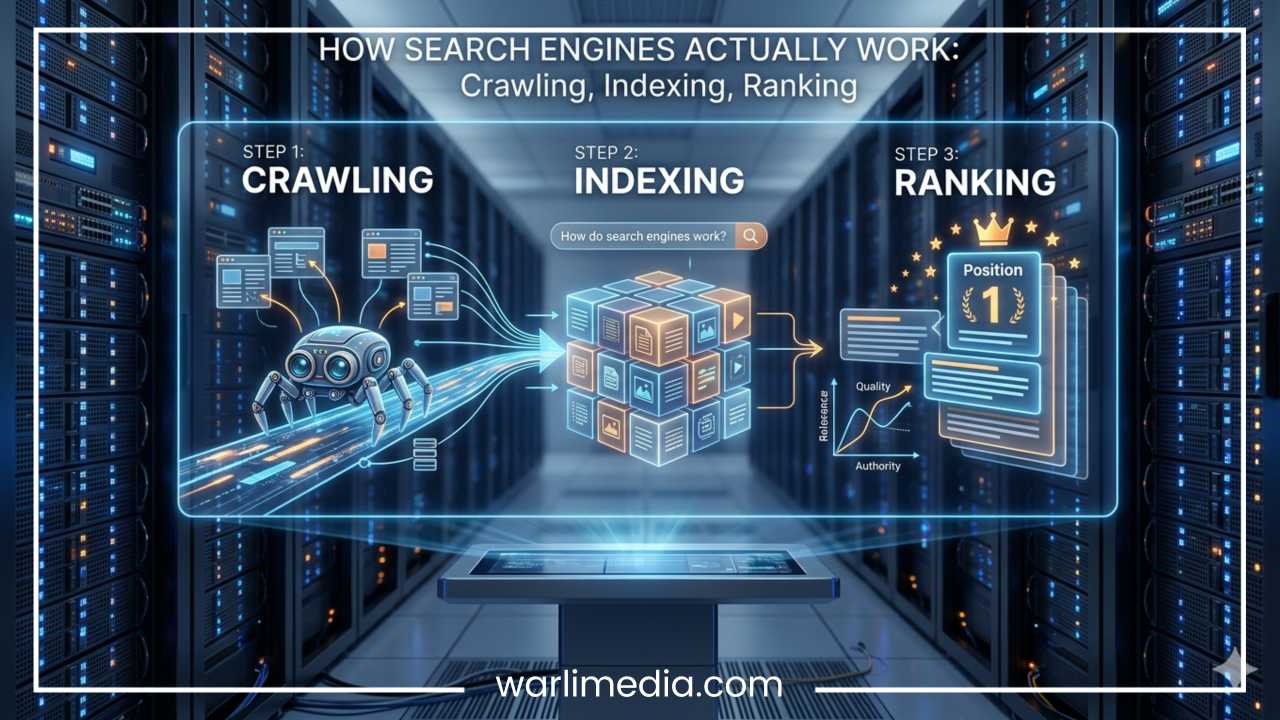
Crawling vs Indexing vs Ranking
In digital marketing and web development, the terms crawling, indexing, and ranking are frequently conflated. However, they represent three completely distinct, sequential phases in a search engine’s operation. A failure to distinguish between them can lead to major strategic errors when attempting to optimize a website for search visibility.
| Process | Meaning | Core Action | Primary Metric |
| Crawling | Discovering pages | Scanning code and following hyperlinks | Crawl frequency, crawl budget allocation |
| Indexing | Storing and analyzing pages | Categorizing content in a master database | Indexed page count, index coverage health |
| Ranking | Displaying pages in search | Retrieving and sorting pages for user queries | Search engine results page (SERP) position |
The Sequential Pipeline
To understand how these concepts build upon one another, think of them as an assembly line.
First comes crawling. This is the data collection phase. The bot downloads the raw code of your page. If the bot is blocked from accessing your page by a server error or security firewall, the pipeline stops immediately.
Next comes indexing. Once a page is crawled, the search engine takes the downloaded code and passes it to an indexing engine. Here, the text is analyzed, the semantic meaning of the words is decoded, and the images are processed. If the engine determines the page is high-quality, unique, and valuable, it stores the page in a massive database called the search index. If the page is deemed low-quality, spam, or a direct duplicate of another page, the search engine may choose to drop it entirely, meaning it is crawled but not indexed.
Finally, there is ranking. When a user types a search query into Google, the search engine does not scan the live web in real-time; instead, it queries its pre-built index. It evaluates the indexed pages using hundreds of algorithmic factors—such as relevance, authority, page speed, and user intent—and sorts them, placing the most helpful results at the top.
A website cannot achieve a high rank if it has not been indexed, and it cannot be indexed if it has not been successfully crawled. Therefore, crawling is the mandatory foundation upon which all search engine visibility is built.
Factors That Affect Crawling
A search engine crawler does not navigate every website with the same ease. Some sites are structured like smooth highways, allowing bots to explore thousands of pages effortlessly. Others are built like mazes full of dead ends and roadblocks. Various technical factors dictate how smoothly and thoroughly a crawler can explore a website.
Website Speed and Server Performance
Every time a crawler requests a page, it consumes server resources. If a website takes five seconds to load, the crawler must sit and wait before it can process the code. If a server is slow or experiences frequent downtime, search engine bots will automatically slow down their crawling rate to protect the site from crashing. Conversely, a blazing-fast website allows crawlers to navigate more pages in less time, maximizing the efficiency of the allocated crawl budget.
Broken Links and Broken Redirects
When a crawler encounters a hyperlink, it expects to find a functional webpage. If the link points to a non-existent page (returning a 404 error), the crawler hits a dead end. While an occasional 404 error is normal, a website littered with thousands of broken links wastes the crawler’s time and signals that the site may be poorly maintained. Similarly, a redirect chain (where Page A points to Page B, which points to Page C, which points to Page D) forces the crawler to make multiple round-trip requests just to view a single piece of content, draining its resources.
Internal Linking Structure
The architectural layout of your website’s links determines how easily a bot can discover deep content. A shallow site architecture—where any given page can be reached within three clicks or less from the homepage—is highly crawlable. A deep, linear architecture where pages are buried dozens of layers deep makes it incredibly difficult for crawlers to maintain structural awareness, often leading to important pages being abandoned and ignored.
JavaScript Rendering Challenges
Modern web development relies heavily on frameworks like React, Angular, and Vue. These frameworks often serve an empty HTML shell to the browser and use JavaScript to generate the text and images dynamically on the client side. While human browsers process this instantly, crawlers face a two-stage process.
First, they read the raw HTML. If the content isn’t there, they must add the page to a secondary rendering queue, waiting for specialized computing resources to execute the JavaScript and reveal the text. This delay can slow down content discovery significantly if a site is not optimized for server-side rendering or pre-rendering.
Server Response Codes and Their Impact
When a crawler requests a URL, the host server returns a three-digit HTTP status code. These codes tell the crawler exactly how to handle the page.
200 OK: The page loaded successfully. The crawler will proceed to parse the content and extract links.
301 Moved Permanently: The page has migrated to a new location. The crawler notes the new URL, passes historical authority to it, and updates its crawl queue to point to the new destination.
404 Not Found: The page does not exist. The crawler stops attempting to read it and will eventually remove it from the scheduling queue if it remains broken.
500/503 Server Errors: The server is temporarily overloaded or experiencing an internal failure. The crawler will halt its current session and try again later, reducing its crawl frequency to avoid worsening the server’s issues.
Common Crawl Errors
[Crawler Request] ---> [Server Check]
                          |
                          ├──> (200 OK) ──────> Read Content & Extract Links
                          ├──> (301 Redirect) ─> Follow to New Target URL
                          ├──> (404 Error) ───> Stop Exploration (Dead End)
                          └──> (500 Error) ───> Back Off & Reduce Crawl Rate
Beyond basic status codes, webmasters often suffer from systemic errors like infinite URL loops. This occurs when a dynamic filtering system or calendar widget on a site generates a theoretically infinite number of unique URLs (e.g., adding parameter combinations indefinitely). A crawler can get trapped in these loops, burning through its entire crawl budget on useless, auto-generated pages while missing your core content entirely.
Robots.txt and Crawl Management
Website owners do not have to leave their sites at the complete mercy of search engine bots. There are powerful, standardized control mechanisms available to dictate exactly where a crawler can go, what it can read, and what it must completely ignore.
The Role of Robots.txt
The robots.txt file is a plain text file placed in the root directory of a website’s server (e.g., [example.com/robots.txt](https://example.com/robots.txt)). It acts as a gatekeeper or a set of rules for incoming bots. When a reputable web crawler visits a website, the very first thing it does is look for and read this file.
The file uses specific commands called directives to establish boundaries.
User-agent: Specifies which bot the rule applies to (e.g.,
User-agent: Googlebottargets Google specifically, whileUser-agent: *applies to all crawlers globally).Disallow: Explicitly tells the bot that it is forbidden from crawling a specific section or directory of the website.
Allow: Explicitly permits a crawler to access a subfolder within a broader disallowed parent folder.
Consider this classic configuration:
Plaintext
User-agent: *
Disallow: /admin/
Disallow: /checkout/
In this example, every web crawler that honors standard internet protocols is told to stay away from the private administrative dashboard and the checkout funnels. This protects server bandwidth and keeps private or low-value operational folders from cluttering search configurations.
Technical Controls: Noindex vs. Disallow
A common mistake in technical SEO is confusing a disallow directive in a robots.txt file with a noindex tag. They serve fundamentally different purposes and cannot be used interchangeably.
Disallow (Robots.txt): This controls crawling. It prevents the bot from looking at the page’s contents. However, if an external website links to a disallowed URL, a search engine might still index the URL based purely on that external reference, showing an empty link in search results without any description text.
Noindex (Meta Tag): This controls indexing. It is a snippet of code placed inside the HTML
<head>of a specific page (e.g.,<meta name="robots" content="noindex">). To see this tag, a crawler must be allowed to crawl the page. When the crawler reads thenoindexdirective, it tells the search engine to completely exclude or remove the page from search results, ensuring it never appears to the public.
If you block a page in robots.txt using a disallow directive, the crawler can never read the page to see a noindex tag you have placed on it. Therefore, if your goal is to guarantee a page stays completely out of search results, you must allow it to be crawled, but tag it clearly with a noindex instruction.
Why Crawling Matters for SEO
Search Engine Optimization is a multi-layered discipline involving keyword research, content writing, link building, and user experience design. However, all of these efforts are entirely dependent on technical crawlability. Crawling is the gateway to visibility.
The Visibility Bottleneck
If a search engine crawler cannot access your website, your site might as well not exist on the internet. You could hire the finest writers in the world to craft flawless, deeply researched articles, but if those pages are blocked by an accidental server configuration or misconfigured code, they will never attract a single visitor from organic search. Optimization at the crawl layer is about eliminating bottlenecks so that your content actually gets a chance to compete in the market.
Protecting Your Organic Growth
As websites grow from small blogs into large digital hubs with tens of thousands of pages, managing how efficiently search engines crawl your site becomes paramount. E-commerce platforms, directory sites, and digital publishers generate fresh content constantly. For these large websites, a poorly optimized structure means that search engine bots might spend all their time crawling old, out-of-stock product pages while missing brand-new product rollouts entirely.
Optimizing crawl paths ensures that your newest updates and highest-revenue pages are noticed and updated in search engine indices within minutes rather than weeks.
Common Crawling Problems
Even well-designed websites can develop underlying technical issues over time that hinder crawler efficiency. Recognizing and diagnosing these common problems is a fundamental skill for maintaining long-term search performance.
Orphan Pages
An orphan page is an active URL on your website that has zero internal links pointing to it from any other section of the site. Because crawlers navigate by following links, they cannot discover an orphan page through standard exploration. These pages are effectively isolated from the rest of the site and usually fail to index unless they are manually included in an XML sitemap.
Infinite URL Loops
As mentioned previously, an infinite loop occurs when a crawler gets trapped in an endless cycle of dynamic URLs generated by parameters. For instance, a calendar widget that allows users to click an “Next Month” button infinitely can cause a crawler to follow links like /events?month=june, /events?month=july, and so on, forever. The crawler gets stuck in an infinite loop, wasting its processing power on identical layouts while real content elsewhere goes unvisited.
Soft 404 Errors
A standard 404 error tells a crawler that a page is gone. A soft 404 occurs when a webpage displays a visual message saying “Page Not Found” to human users, but mistakenly sends a success code (200 OK) to the crawler at the server level. This tricks the crawler into thinking it is looking at a valuable, functional webpage. It wastes index resources on empty space and creates unnecessary technical noise.
Blocked CSS and JavaScript Assets
In the early days of the web, search engine crawlers only needed to read text files. Today, they need to see how a page looks on a screen to verify that it is user-friendly and readable. If your robots.txt file accidentally blocks crawlers from downloading your CSS and JavaScript asset files, the bot cannot render the layout. It may assume your site is broken or not optimized for mobile devices, leading to a drop in mobile search performance.
Tools to Check Website Crawling
To fix crawling issues, you must see your website through the eyes of a search engine bot. Fortunately, there are several powerful platforms available that provide detailed diagnostic information regarding how crawlers interact with your web servers.
Google Search Console
Google Search Console is a free service provided by Google that serves as the direct communication line between website owners and the search engine. It features several indispensable crawling reports.
The Index Coverage Report: Shows exactly which pages Google has successfully crawled and indexed, along with a breakdown of URLs that encountered errors (such as 404 errors or server issues).
The Crawl Stats Report: Provides advanced metrics detailing how many requests Googlebot makes to your site daily, the total data volume downloaded, and the average response time of your server. A sudden spike in response times indicates server strain that needs immediate attention.
The URL Inspection Tool: Allows you to input any individual URL to see exactly when it was last crawled, whether Google encountered any errors, and how the rendered code looks to Googlebot.
Screaming Frog SEO Spider
This is a desktop-based application that acts as a local crawler. When you input your domain, Screaming Frog crawls your entire website exactly like a search engine would. It provides an immediate spreadsheet-style breakdown of every broken link, redirect chain, server error, and unlinked orphan page across your digital real estate.
Log File Analyzers
Every single time a human user or a search engine bot visits your website, your web server records that interaction in a plain text file known as a server log file. By downloading these logs and processing them through a log file analyzer, you can view the raw, unfiltered truth of crawler activity. You can see precisely which folders Googlebot visits most frequently, how much of your crawl budget is wasted on minor image assets, and exactly when a bot hits an unexpected server roadblock.
Best Practices to Improve Crawlability
Maintaining a highly crawlable website requires consistent adherence to clean technical standards. By implementing the following foundational best practices, you can ensure that search engines can explore your digital content efficiently.
1. Maintain a Logically Organized Site Architecture
Keep your internal structure simple and clean. Use a pyramid hierarchy where the homepage sits at the top, linking down to core categories, which then link down to individual subpages. Avoid deep structural chains; aim to make every single page accessible within three clicks or fewer from the homepage.
2. Implement Clear Internal Linking
Never let a page sit in isolation. When you write a new article or publish a new product, manually add links to it from your older, established high-authority pages. Use descriptive anchor text for your hyperlinks so crawlers understand the contextual relationship between the connected pages.
3. Keep Your XML Sitemap Up to Date
Ensure your website automatically generates a dynamic XML sitemap that updates every time new content is published or deleted. Submit this sitemap link directly to Google Search Console and Bing Webmaster Tools. Clean up your sitemap by ensuring it only contains functional URLs that return success codes (200 OK); never include URLs that are redirected or blocked by a noindex tag.
4. Optimize Server Response Times
Invest in a fast, reliable hosting infrastructure. Implement robust server-side caching, utilize a global Content Delivery Network (CDN) to serve assets closer to the user, and optimize large file sizes. A fast server response allows crawlers to navigate your site quickly without hitting resource limits.
5. Eradicate Redundant Redirect Chains
Perform regular technical audits to identify and fix internal links that point to redirected URLs. If Page A points to Page B, which redirects to Page C, update the link on Page A so that it points directly to Page C. This trims unnecessary steps from the crawler’s path, protecting your crawl budget.
The Future of Crawling and AI Search
The fundamentals of web crawling are undergoing a significant evolution driven by shifts in web design architecture and the rise of advanced artificial intelligence technologies.
The JavaScript Paradox and Headless Browsing
As more developers adopt highly interactive, JavaScript-heavy web applications, traditional text-based crawling is no longer sufficient. Search engines have been forced to upgrade their bots into full headless browsers capable of fully rendering heavy modern client-side scripts. Because rendering requires massive amounts of processing power compared to reading raw HTML, search engines must balance these high infrastructure costs. This shift places a higher emphasis on developers to adopt hybrid approaches like server-side rendering (SSR) to keep their sites lightweight and immediately readable for incoming crawlers.
AI Search Bots and Content Scraping
The landscape of digital discovery has expanded beyond classic search engines. Advanced artificial intelligence platforms and large language models (LLMs) deploy their own specialized crawlers to scan the public web.
Unlike search engine bots, which aim to index your site to send traffic back to you, AI training bots often crawl the web to ingest text data into massive neural networks for training purposes. This has sparked a brand-new debate regarding digital ownership and crawl control.
Website owners now actively use their robots.txt files to block specific AI crawlers (such as OpenAI’s GPTBot) from scraping their content while keeping the gates open for traditional search engines like Googlebot. The future of crawling will require managing this delicate balance between being discoverable to global audiences while protecting proprietary content assets from automated exploitation.
Final Thoughts
Web crawling is the vital, invisible engine that powers search discovery. It serves as the foundation for how search engines map, interpret, and catalog the vast expanse of human knowledge on the internet.
For anyone tasked with running a digital presence—whether managing a personal blog or leading a multi-national enterprise platform—mastering the mechanics of crawling is an essential requirement. If a crawler cannot navigate your code smoothly, your content will fail to index, and your search rankings will remain non-existent.
By building fast servers, maintaining clean internal links, and monitoring crawl logs diligently, you remove the obstacles that block automated bots. Ensuring your website is highly crawlable gives your content the best opportunity to be found, indexed, and displayed to users around the globe.
Frequently Asked Questions About Web Crawling
How do I get Google to crawl my website instantly?
While you cannot force Google to crawl your site instantly, you can speed up the process significantly by using the URL Inspection Tool inside Google Search Console. Paste your specific webpage URL into the tool, let it run a live test, and click Request Indexing. For brand-new websites, the fastest approach is to submit your complete XML sitemap URL under the Sitemaps section in Google Search Console to alert Googlebot to your site’s structure.
Why is Googlebot not crawling my new webpage?
If Googlebot is not crawling a newly published page, it is usually due to one of four common technical issues:
Robots.txt block: Your
robots.txtfile might have aDisallowdirective that inadvertently covers the URL pathway.Noindex tag confusion: The page might contain a
meta name="robots" content="noindex"tag in the HTML head.No internal links: The page may be an orphan page with zero internal links pointing to it from the rest of your site.
Crawl budget exhaustion: If your website has thousands of low-quality or duplicate pages, Googlebot may spend its allocated budget on those before finding your new content.
What is the difference between a web crawler and a web scraper?
While both tools navigate the internet automatically, their core objectives and methods differ:
Web Crawlers (like Googlebot) systematically browse the web via hyperlinks to discover, catalog, and index pages for public search. They respect web standards like
robots.txtand do not target specific pieces of data.Web Scrapers are designed to extract specific, targeted data sets from web pages (such as product prices, stock details, or email addresses). Scrapers often ignore
robots.txtfiles and harvest content for private databases or competitive analysis.
How do I check my website’s crawl budget in Google Search Console?
To view your website’s crawl budget and live bot activity, open Google Search Console, navigate to the Settings menu on the left-hand sidebar, and click on Crawl Stats. This dashboard reveals how many page requests Googlebot makes to your server per day, the total download size of the data it processes, and your server’s average response time.
Can a website be indexed without being crawled?
No, a search engine cannot index the internal content of a webpage without crawling it first. The search engine must fetch and parse the page’s HTML code to understand its meaning and determine if it belongs in the master search index. However, in rare instances, an un-crawled URL can appear as an empty link in search results if thousands of external websites link to that specific URL with highly descriptive anchor text.
How do I block specific AI crawlers from scraping my content?
To prevent artificial intelligence bots and large language models from scraping your content while still allowing search engines to index your site, you must add specific directives to your root robots.txt file. For example, to block the primary bot used by OpenAI while keeping Google search functional, you would add the following text:
Plaintext
User-agent: GPTBot
Disallow: /
What happens if my server response codes show frequent 503 errors?
When a web crawler encounters a 503 Service Unavailable status code, it recognizes that your server is temporarily overloaded or down for maintenance. To prevent crashing your website, the crawler will immediately halt its current session and back off. If these errors happen frequently during scheduled visits, search engines will permanently lower your site’s crawl frequency, which delays how quickly your new or updated content appears in search results.